Translate a CSV
Upload a CSV, choose the right translation layout, review languages and columns, approve the credit estimate and download the finished file.
This guide covers the complete signed-in workflow. Upload and translation start are currently available only in the web app.
1. Start a translation
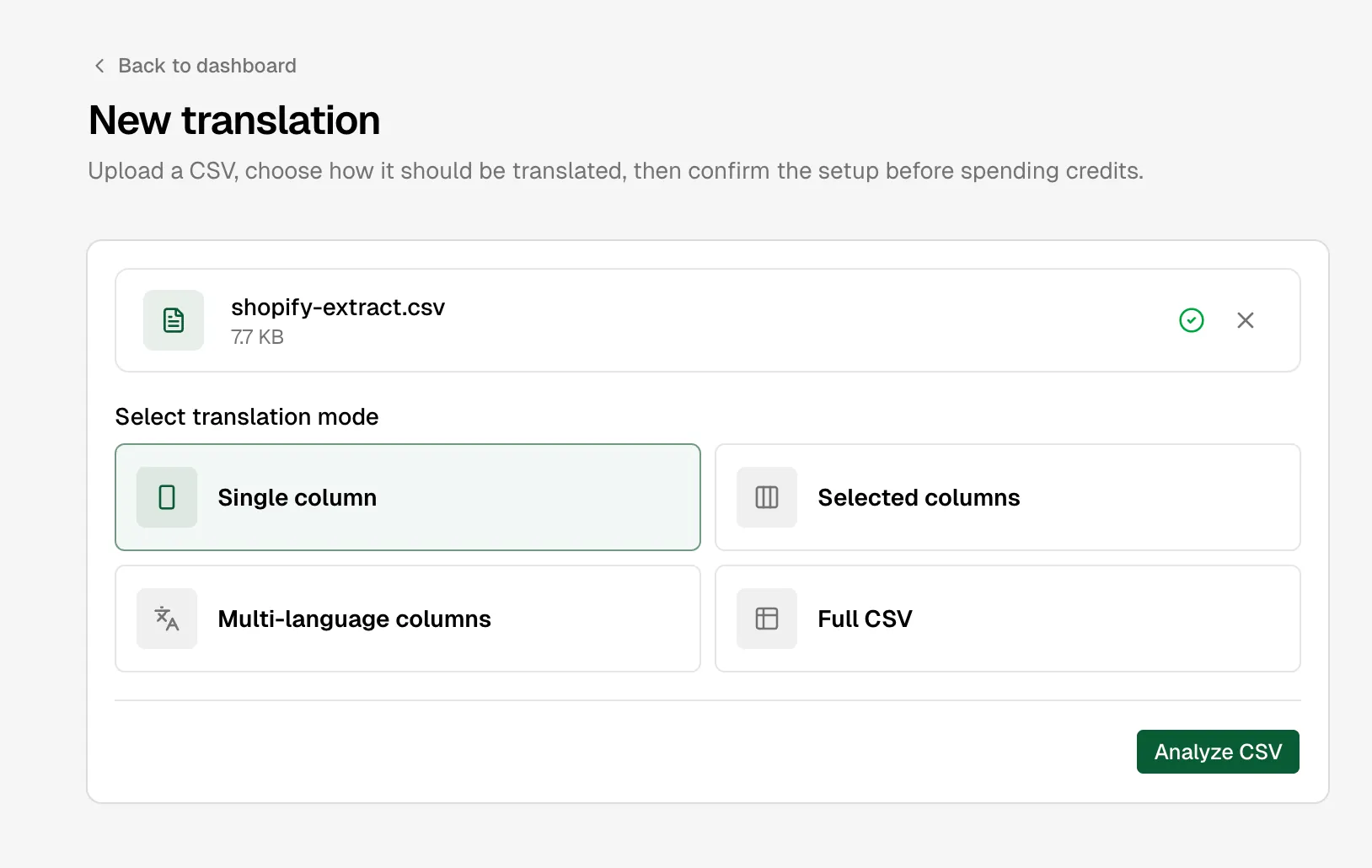
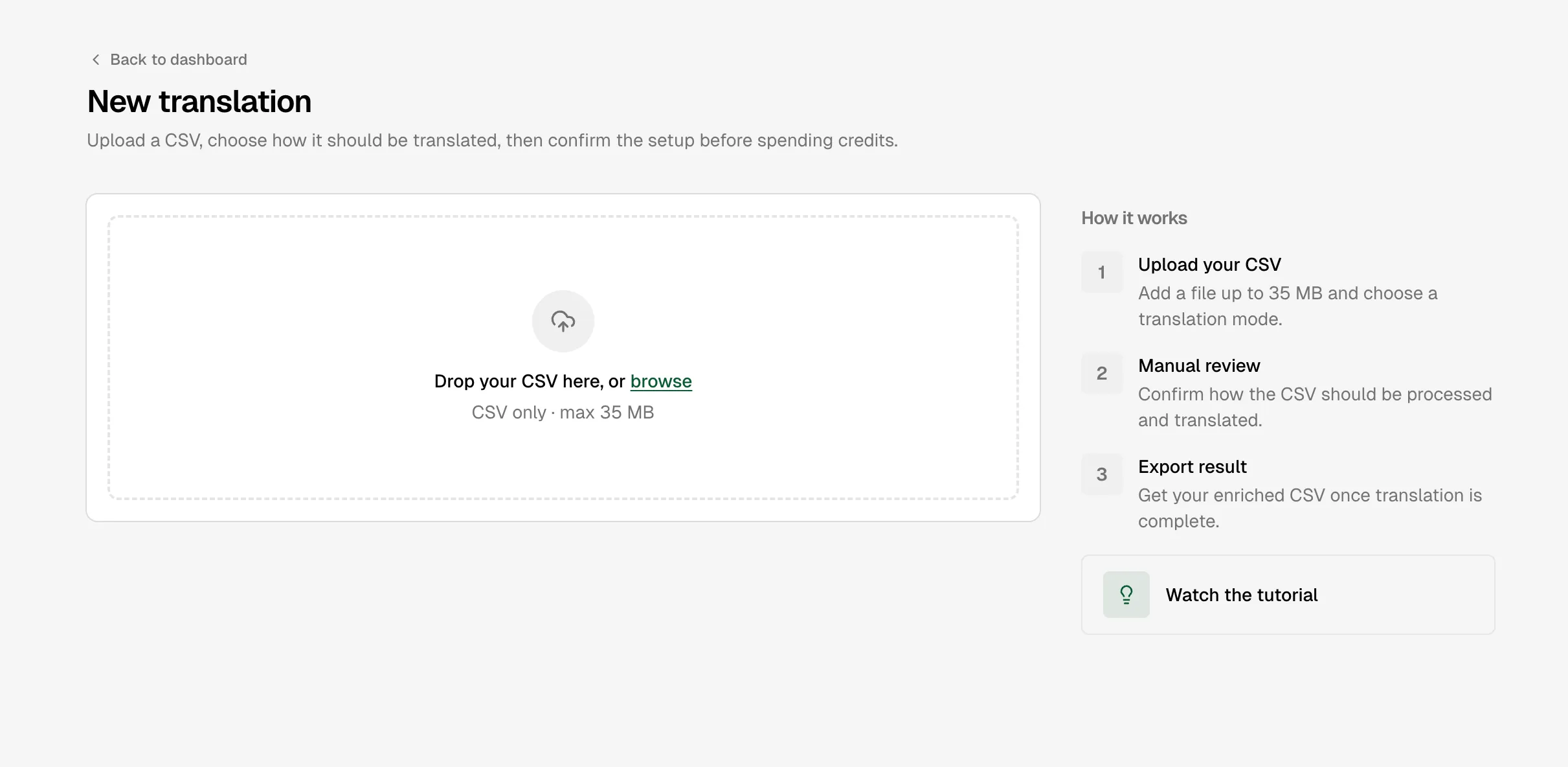
Open AI Glot and choose New translation. Select the layout closest to your data, then drag in a file or click the upload area to choose one.
The file must be a UTF-8 .csv, contain a header row plus at least one data row, and be no larger than 35 MB. See CSV requirements for formatting details.
2. Wait for analysis
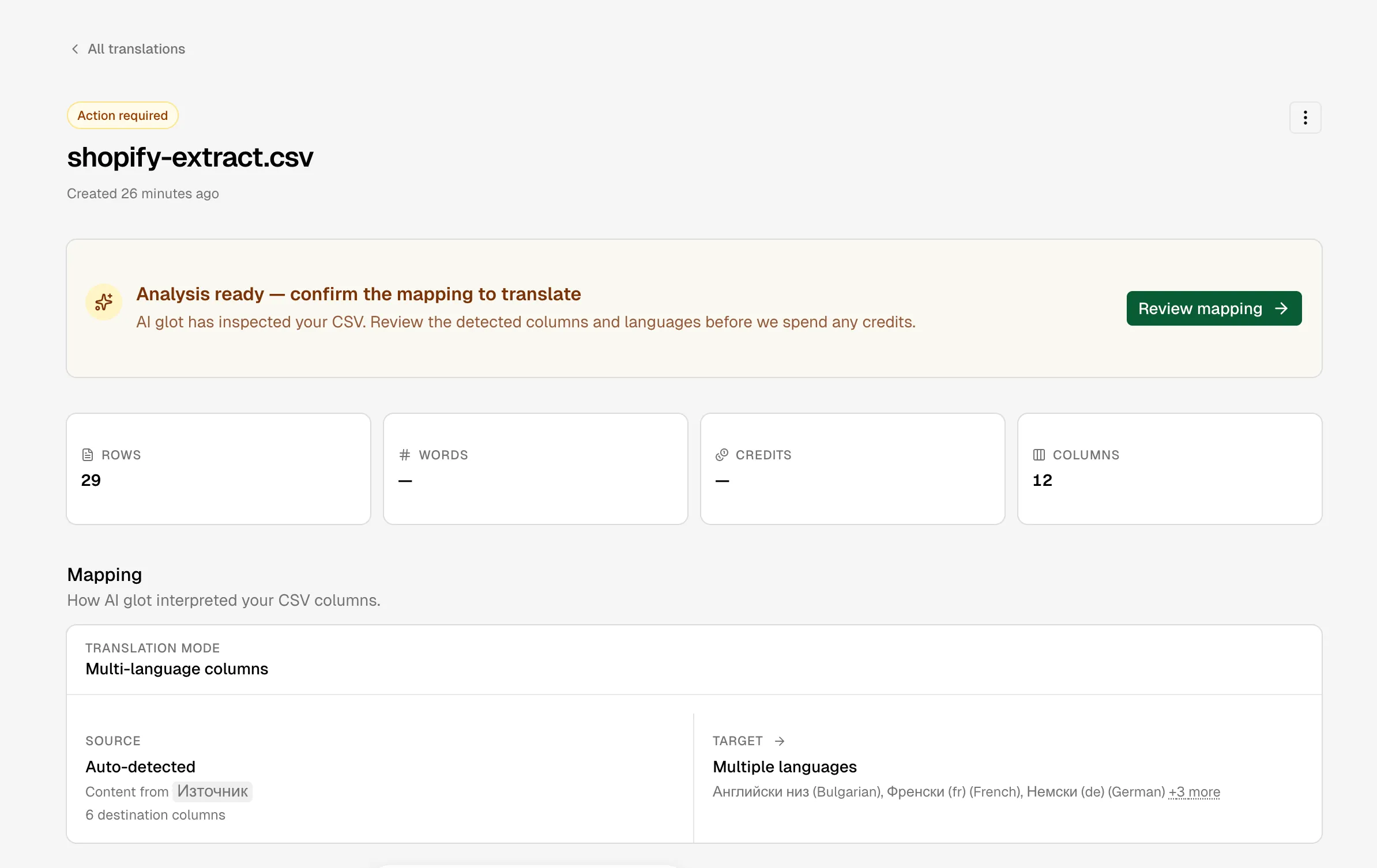
AI Glot reads the complete file, profiles each column and proposes:
- the translation layout;
- source and target languages;
- content columns and language columns;
- the number of billable words;
- a credit estimate.
Analysis does not consume credits. A proposal is not final: check it against what the columns actually mean.
3. Review the mapping
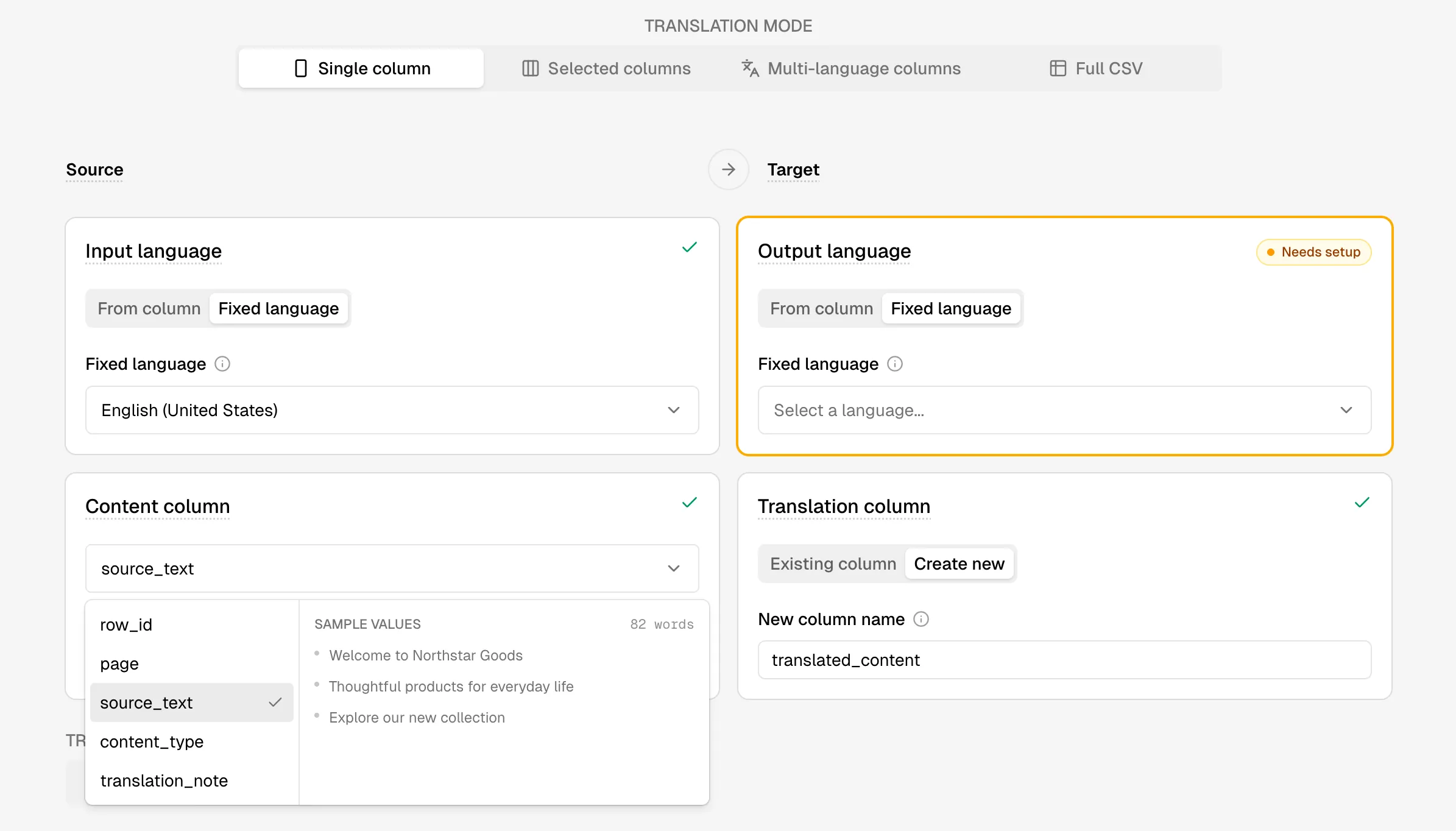
Choose the source and destination columns deliberately. Columns used as identifiers, SKUs, URLs, prices, inventory or internal keys should normally remain untouched.
The four translation modes
Choose a mode before analysis, then confirm the mapping on the review screen. You can still switch modes before launching the translation.
Translate one source text column into a target language. The source and target language may be fixed for the file or read from language columns, and the result can replace an existing column or create a new one.
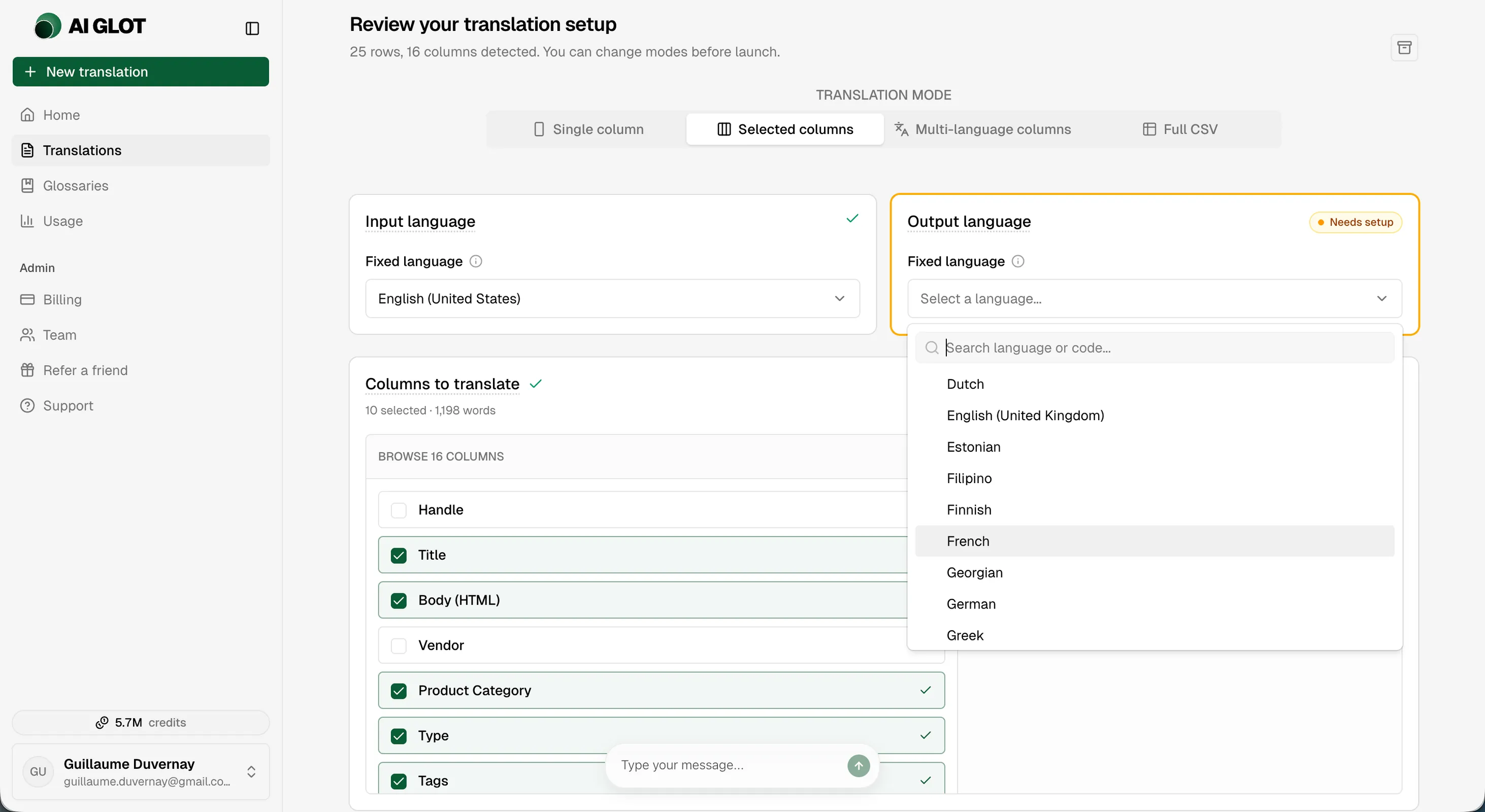
Translate several chosen content columns with one fixed source language and one fixed target language. Selected columns are translated in place; identifiers, keys and other unselected columns stay unchanged.
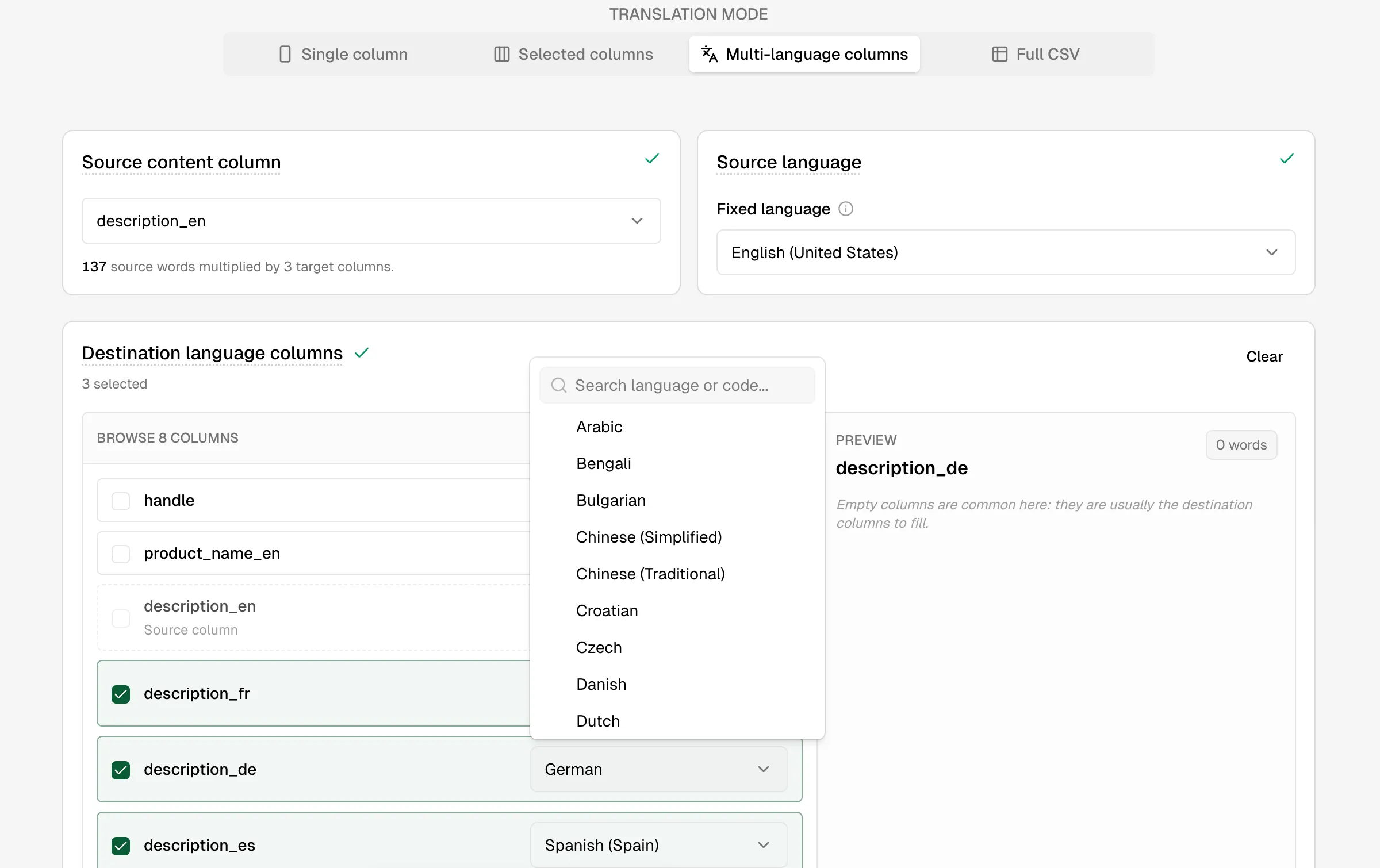
Fill several destination language columns from one source column. Each destination column receives its own fixed language, such as fr, de or es.
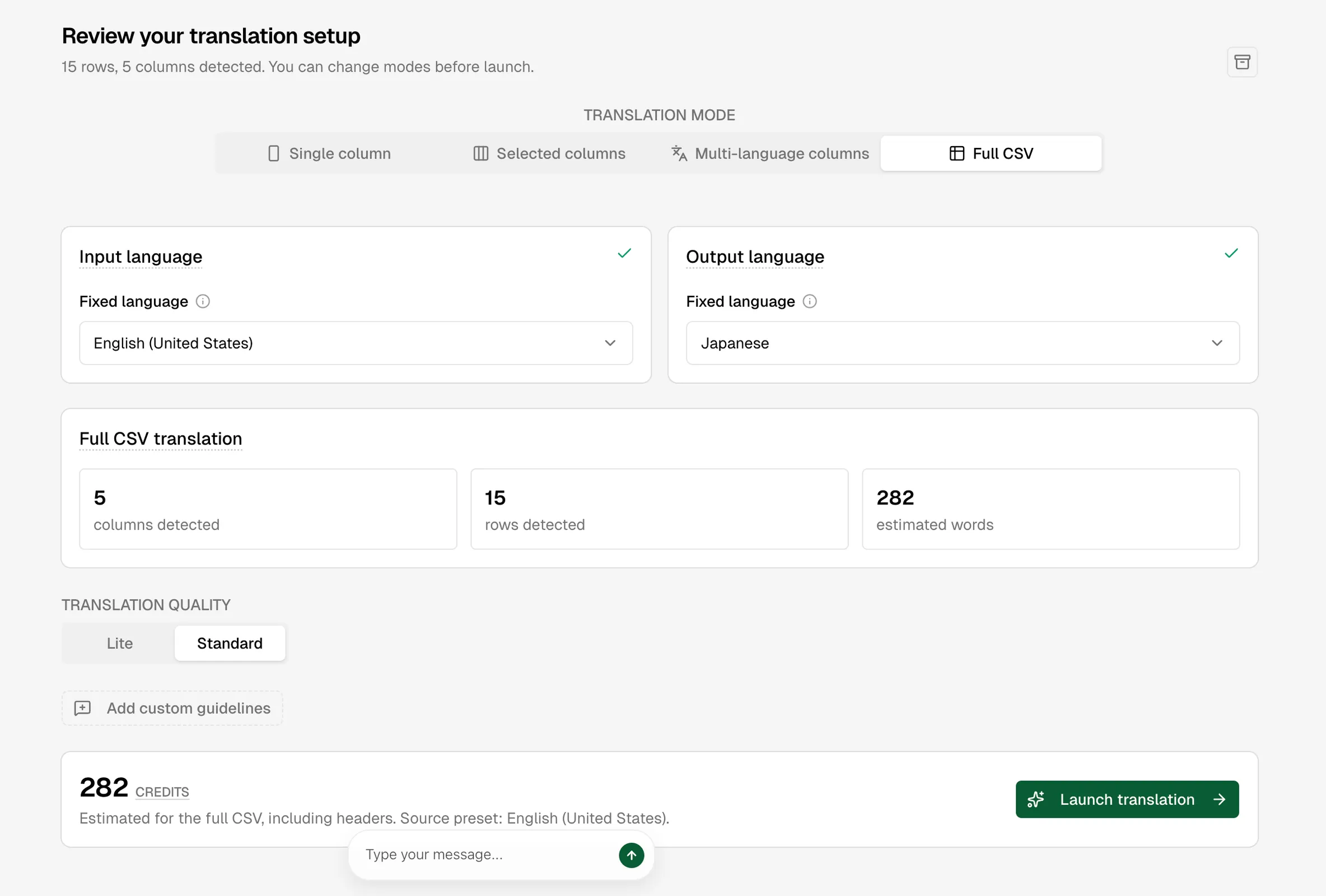
Translate every detected text cell and every header using one fixed source language and one fixed target language. Use this when the complete table is human-facing content and no operational column should be excluded.
4. Choose quality and terminology
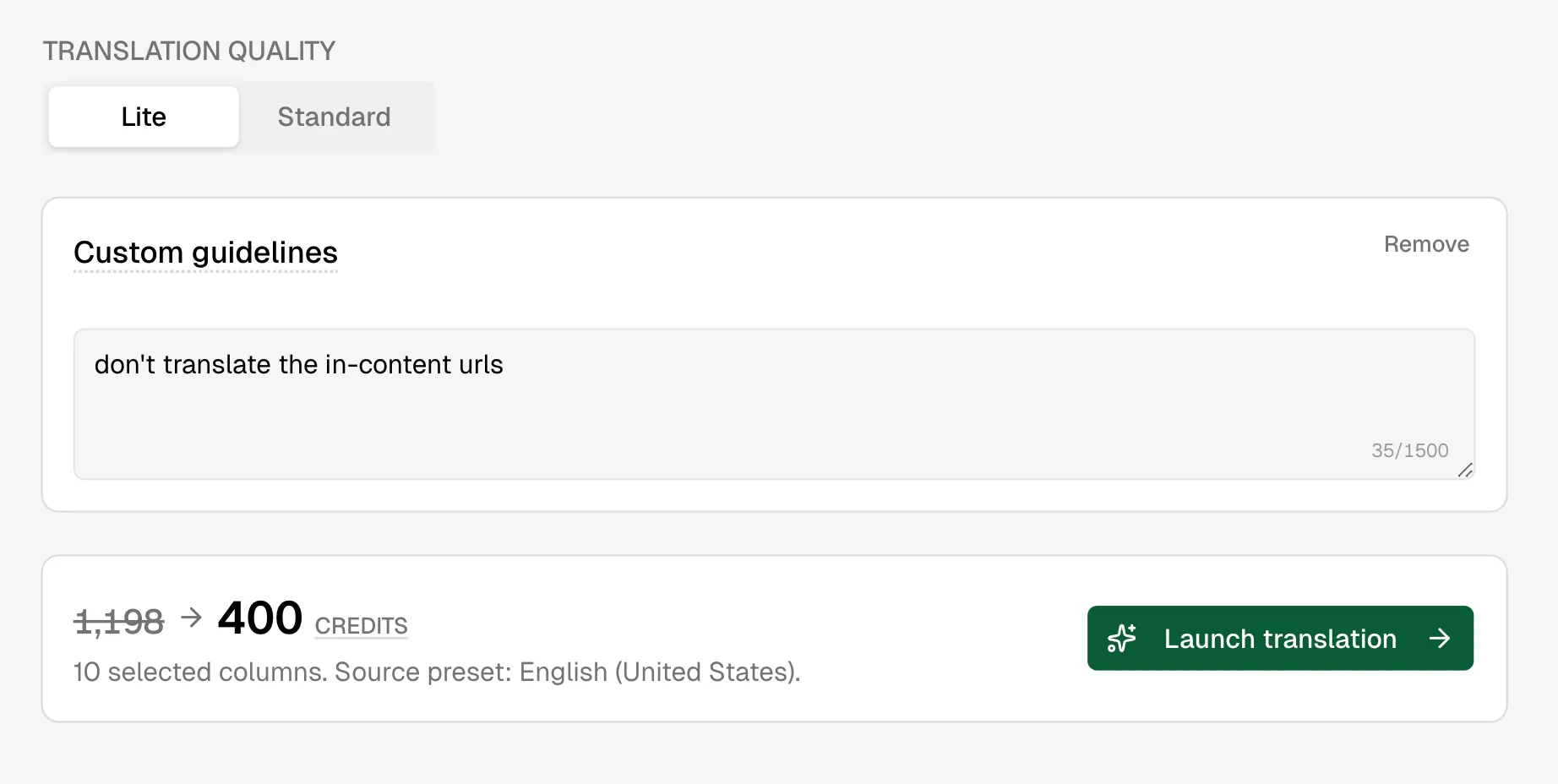
Standard uses the most capable translation process and costs approximately one credit per billable word. Paid plans can choose Lite, a lighter process intended for larger, less critical content at about one third of the Standard credit cost.
If your workspace has a glossary for the source-target pair, AI Glot applies it automatically. Paid plans may also add batch-specific instructions of up to 1,500 characters.
5. Approve the estimate
The review screen shows the final estimate before anything is charged. The count depends on the layout:
- Single column: words in the chosen source column;
- Multi-language columns: source words multiplied by the number of destinations;
- Selected columns: words across the chosen columns;
- Full CSV: words across all translated cells; headers are included in the same count.
Credits are reserved atomically when translation starts. Another simultaneous job cannot spend the same balance.
6. Follow progress and download
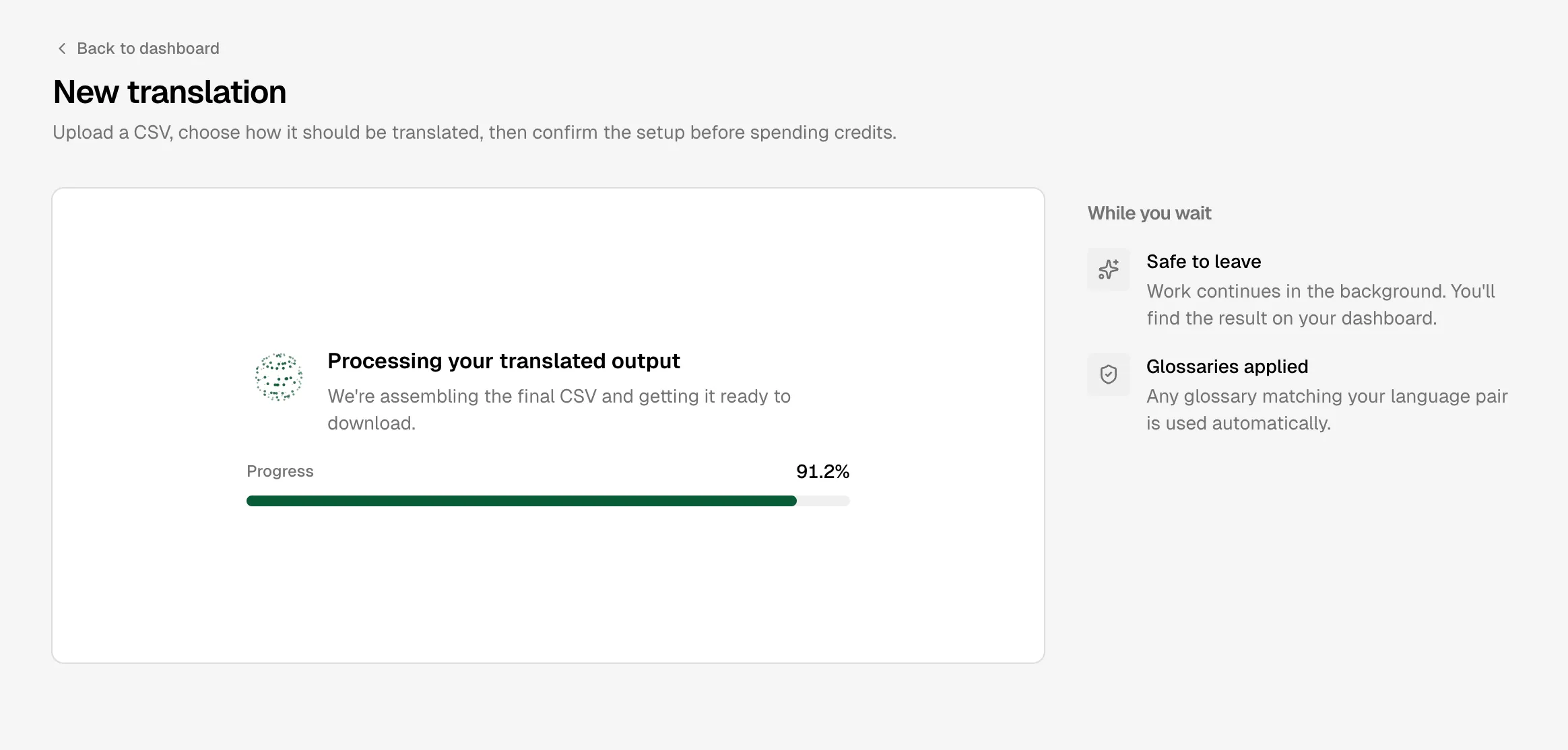
The translation page shows the current phase and percentage. You can leave the page; the work continues on Cloudflare, and AI Glot sends a completion email when the result is ready.
AI Glot does not currently publish a reliable wall-clock ETA. Duration depends on the number of translated cells, text length, destination count and provider retries—not file size alone. Analysis is one pass; translation is the longer phase. Use the live percentage for the current job rather than treating a generic minute estimate as a promise.
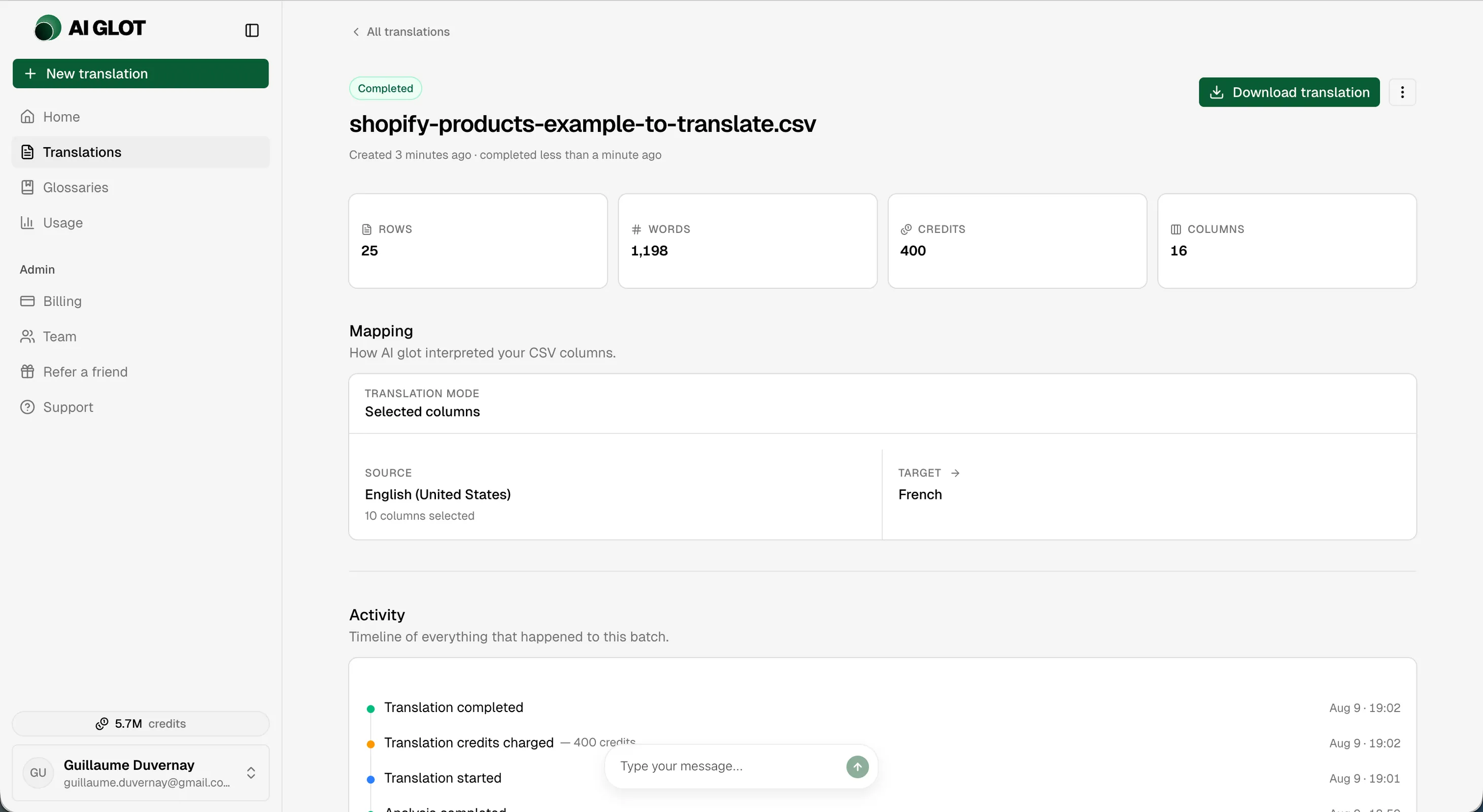
When complete, click Download. The result preserves delimiter choice, quoting, embedded line breaks, whitespace, blank rows, row order and every cell outside the selected translation scope.
If you do not have enough credits
Eligible accounts may receive a free quality sample when the full estimate is at least 7,000 credits and exceeds the available balance. AI Glot targets about 5,000 credits, rounds to complete rows and caps the sample at 500 rows. Samples consume zero credits.