Credits and plans
Understand how AI Glot estimates and consumes credits, Standard and Lite costs, monthly grants, rollover, samples and glossary allowances.
Credits measure translated words, not file size. Analysis is free; the review screen shows the estimated translation cost before you approve it.
Translation cost
| Quality | Approximate cost | Availability |
|---|---|---|
| Standard | 1 credit per billable word | Every plan |
| Lite | About 1 credit per 3 billable words, rounded up per batch | Paid plans |
The same visible word-count rule is used for the estimate, reservation and final charge. Very long strings without normal word boundaries are measured using a character-based safeguard so a page of unbroken text is not treated as one word.
Plan allowances
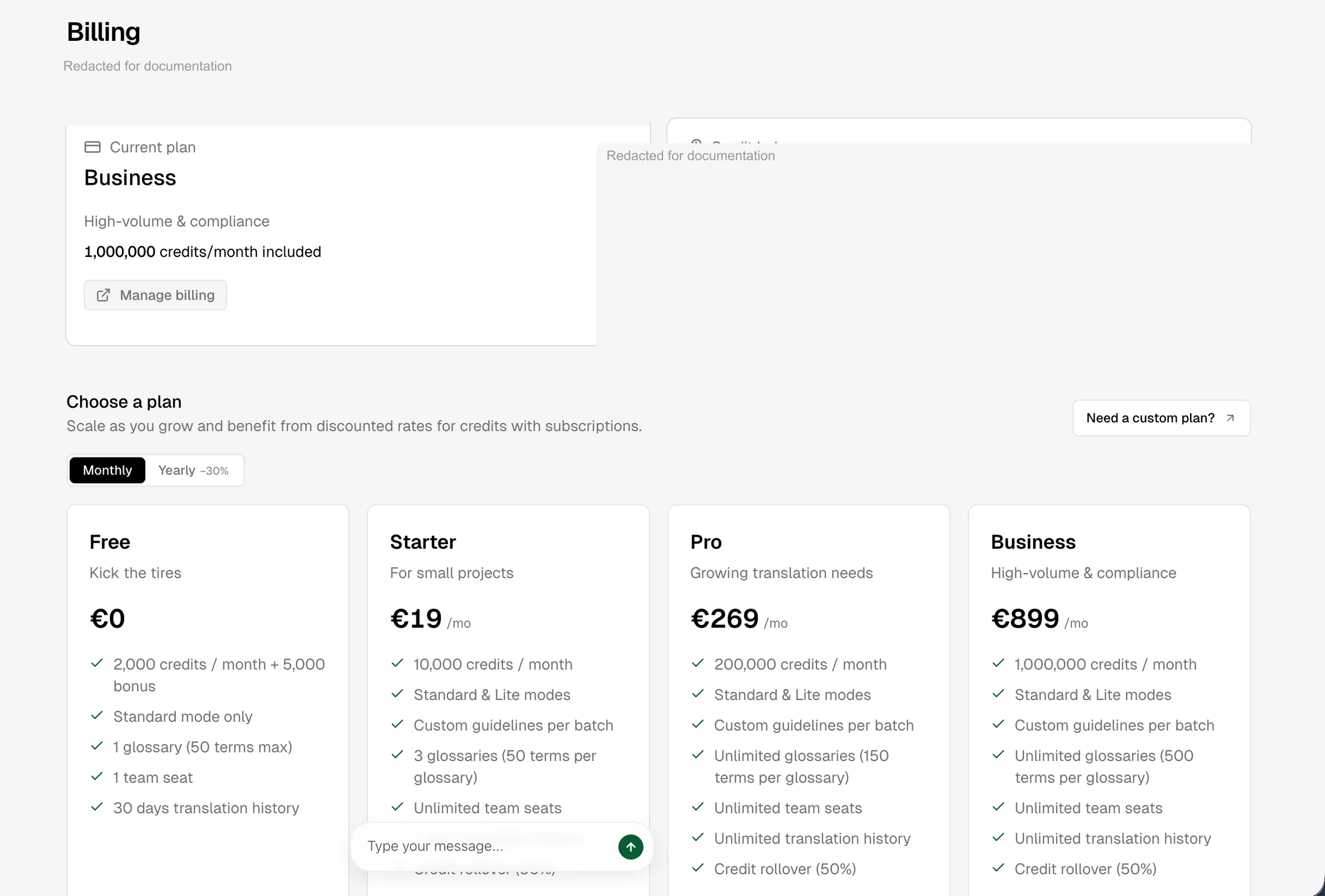
| Plan | Credits each month | Glossaries | Terms per glossary | Team seats |
|---|---|---|---|---|
| Free | None. 10,000 credits once, at signup | 1 | 50 | 1 |
| Starter | 100,000 | 3 | 150 | Unlimited |
| Pro | 1,000,000 | Unlimited | 500 | Unlimited |
| Custom | Contracted | Unlimited | Unlimited | Unlimited |
The Free plan is a trial rather than a small monthly allowance: the 10,000 credits arrive once and are not replenished. Lite quality is not available on it.
Current prices and commercial terms live on the pricing page; this table explains product allowances rather than replacing pricing.
Reservation and refunds
When you start a paid translation, AI Glot reserves the complete accepted estimate before model work begins. Successful completion converts that reservation into the final consumption without briefly returning the balance. A terminal failure refunds the reservation exactly once.
Monthly grants and rollover
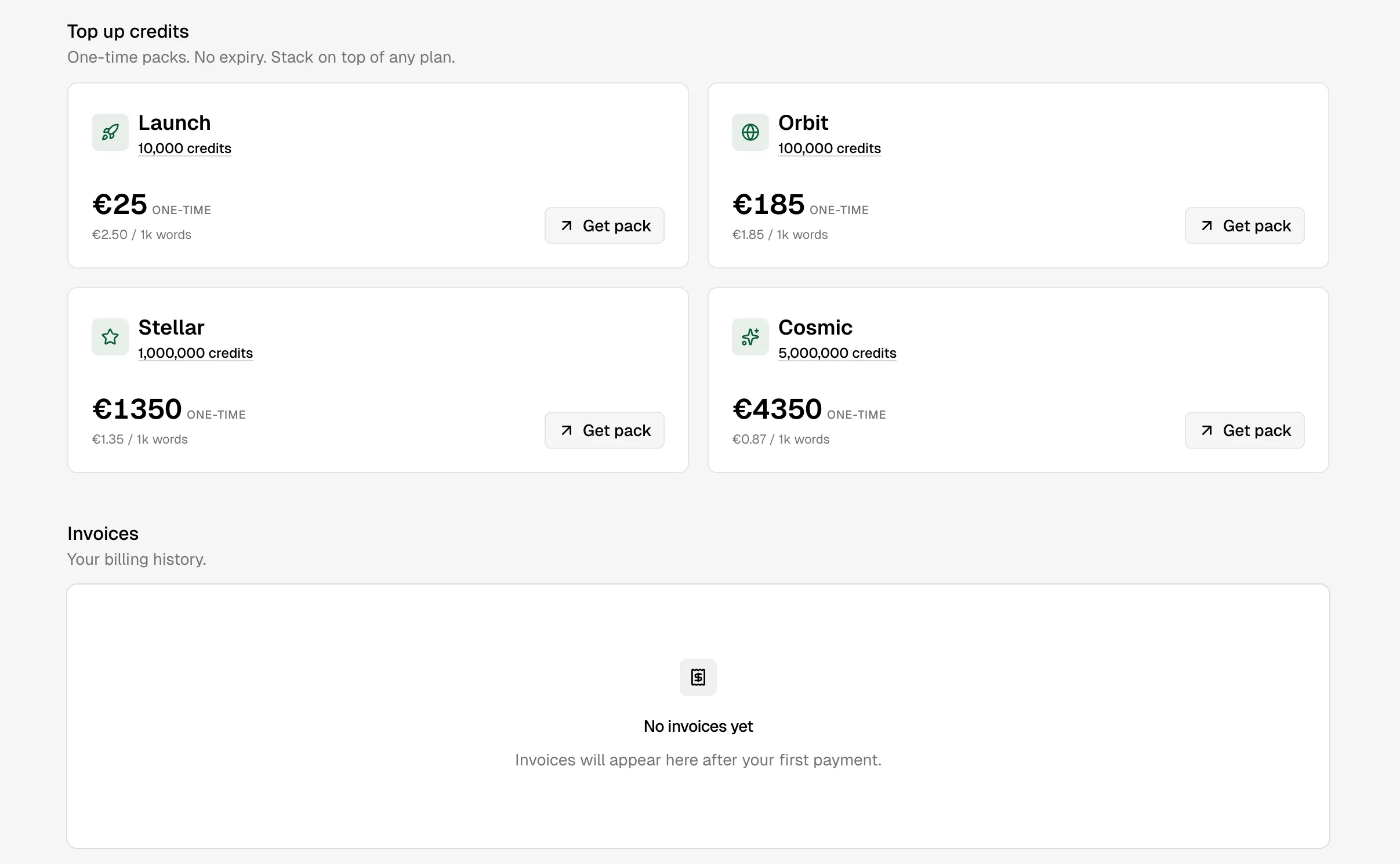
Paid plans receive credits monthly, including yearly subscriptions. Up to 50% of unused paid monthly subscription credits can roll into the next grant. One-time credit packs expire after 12 months.
An immediate plan upgrade grants the difference between the old and new monthly allowance for the current cycle. A downgrade takes effect at the next renewal and does not remove the current balance early.
Check your usage
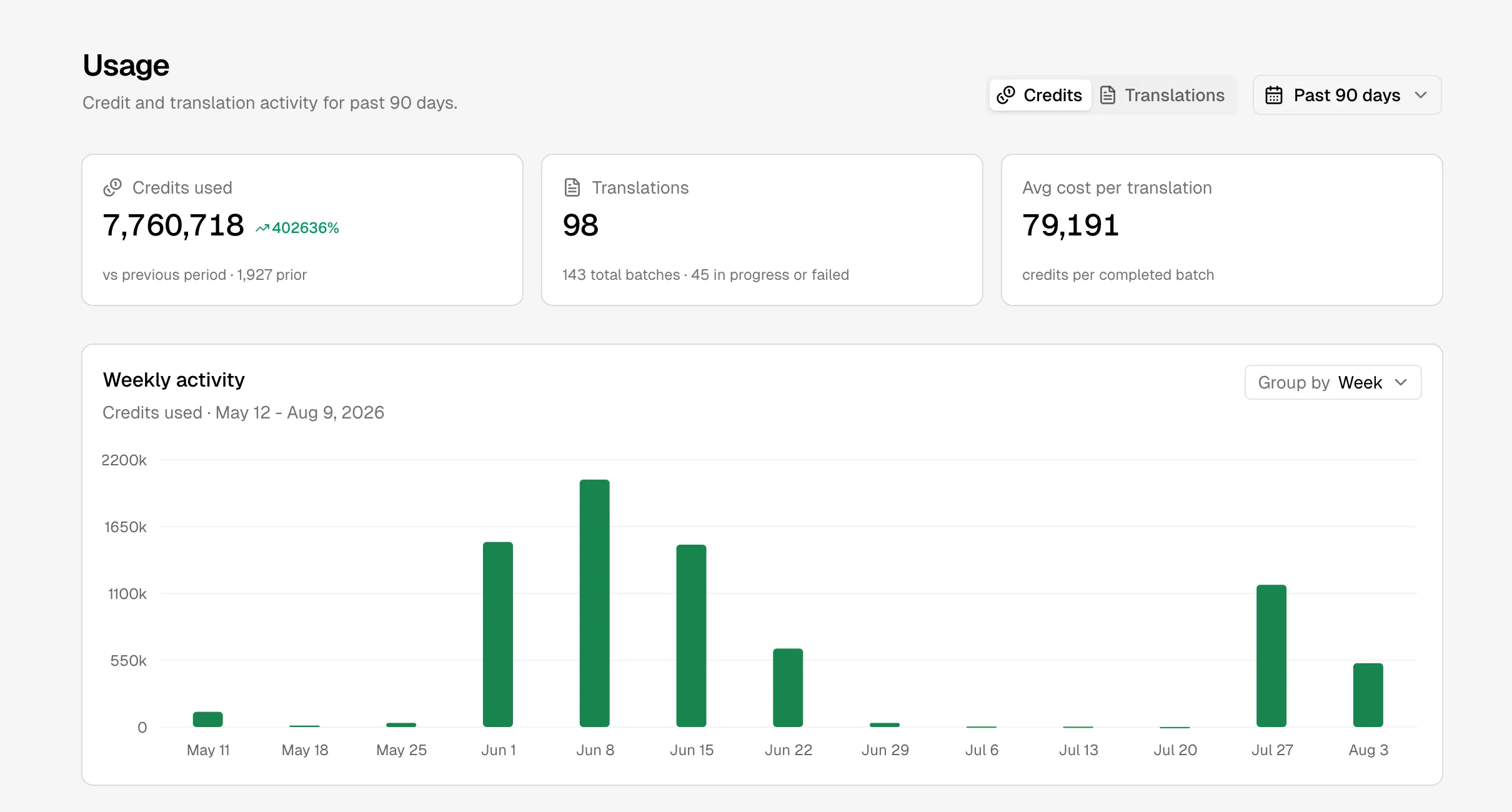
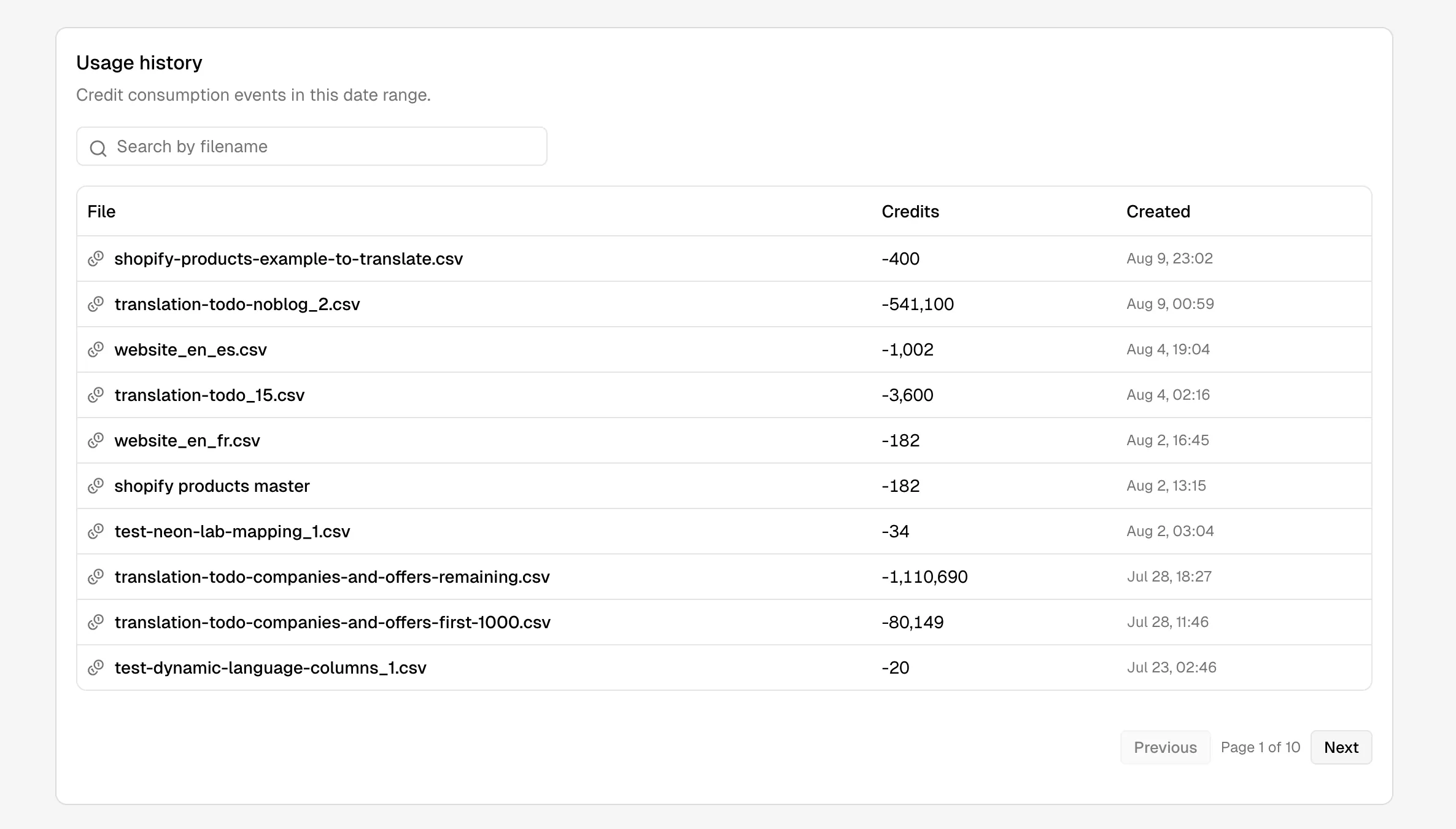
Open Usage in the app to see balance, grants and activity over time. Integrations can use GET /v1/credits, GET /v1/usage, or the equivalent CLI and MCP commands.
Referral credits
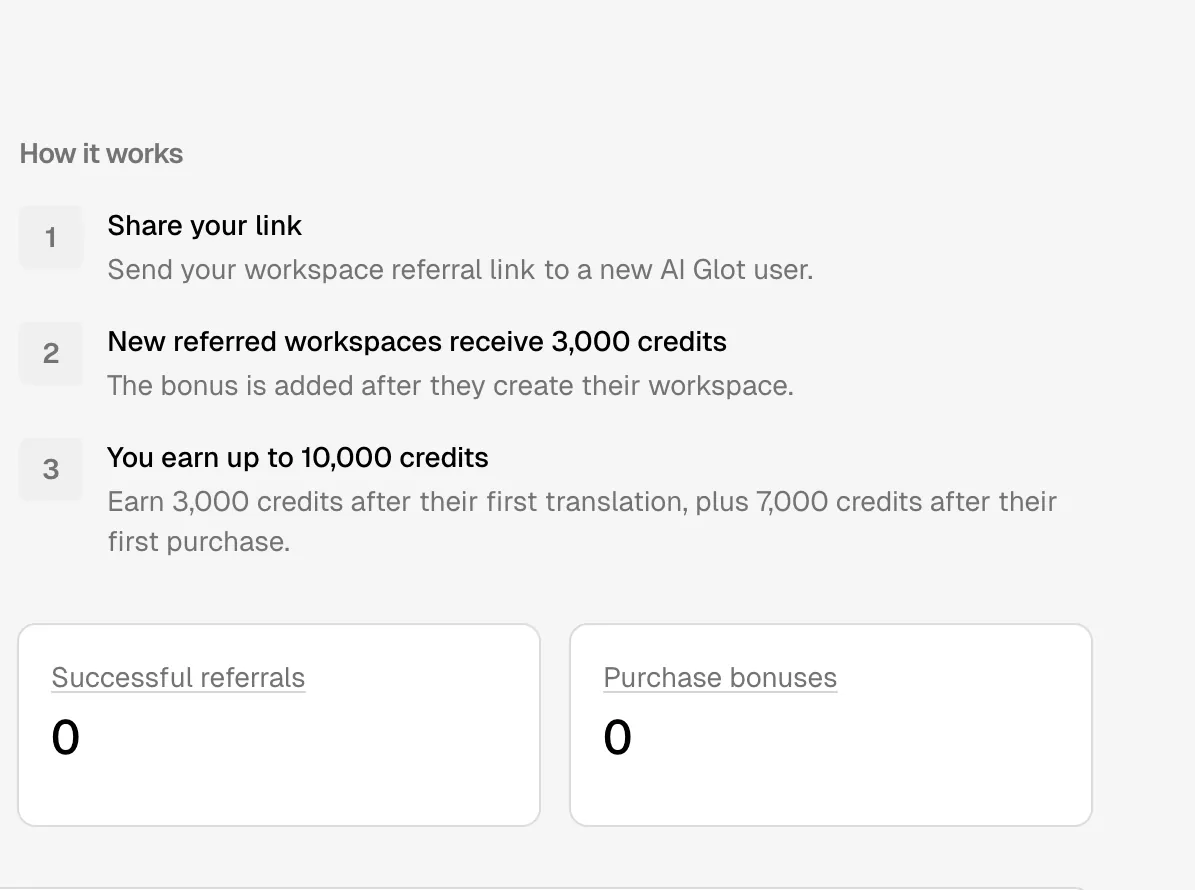
The Refer a friend page gives a new workspace 3,000 credits after its first workspace is created. The referrer can earn another 3,000 credits after the referred workspace’s first translation and up to 7,000 more after its first purchase, for a maximum of 10,000 credits per referral. The referral link is workspace-specific and can be rotated or disabled.