Translate a file
Upload a file in any supported format, describe what to translate in plain language, review the plan in three views, then approve the exact cost.
This guide covers the complete signed-in workflow in the web app. The same work can be driven over the REST API, the MCP tools or the CLI.
Describe what you want in plain language, check the plan AI Glot reads back, and refine it until it is right. Nothing is charged until you approve.
1. Upload the file
Open AI Glot and choose New translation. Drag a file in or use the file picker.
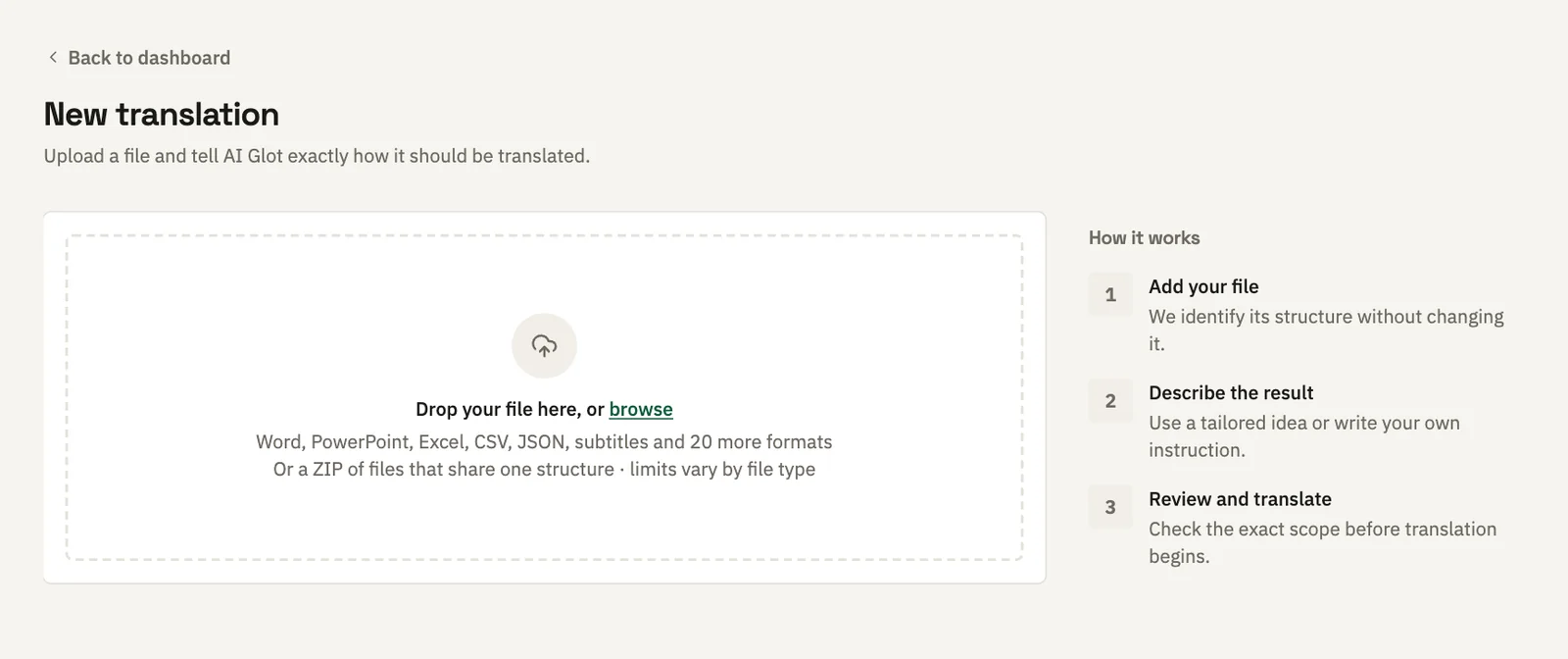
More than 35 file formats are accepted, each with its own size ceiling: 60 MB for CSV, 50 MB for Excel, 25 MB for a Word document, 4 MB for a locale file. See Files and formats for the full table and what each format preserves, and the File formats guides for what to ask for each one.
2. Say what you want translated
AI Glot reads the file first and opens with what it found: the format, the structure it detected, and four suggested ways to start drawn from your actual file rather than a generic list.
Take a suggestion, or type your own instruction. Plain language is the interface:
- “Translate the product descriptions into German, leave the SKUs alone.”
- “Everything except the URLs.”
- “Only the rows where the French column is empty.”
Reading the file costs nothing, and neither does asking. You can ask as many times as you like.
The example below is a product catalog of 1,200 rows, translated into German.
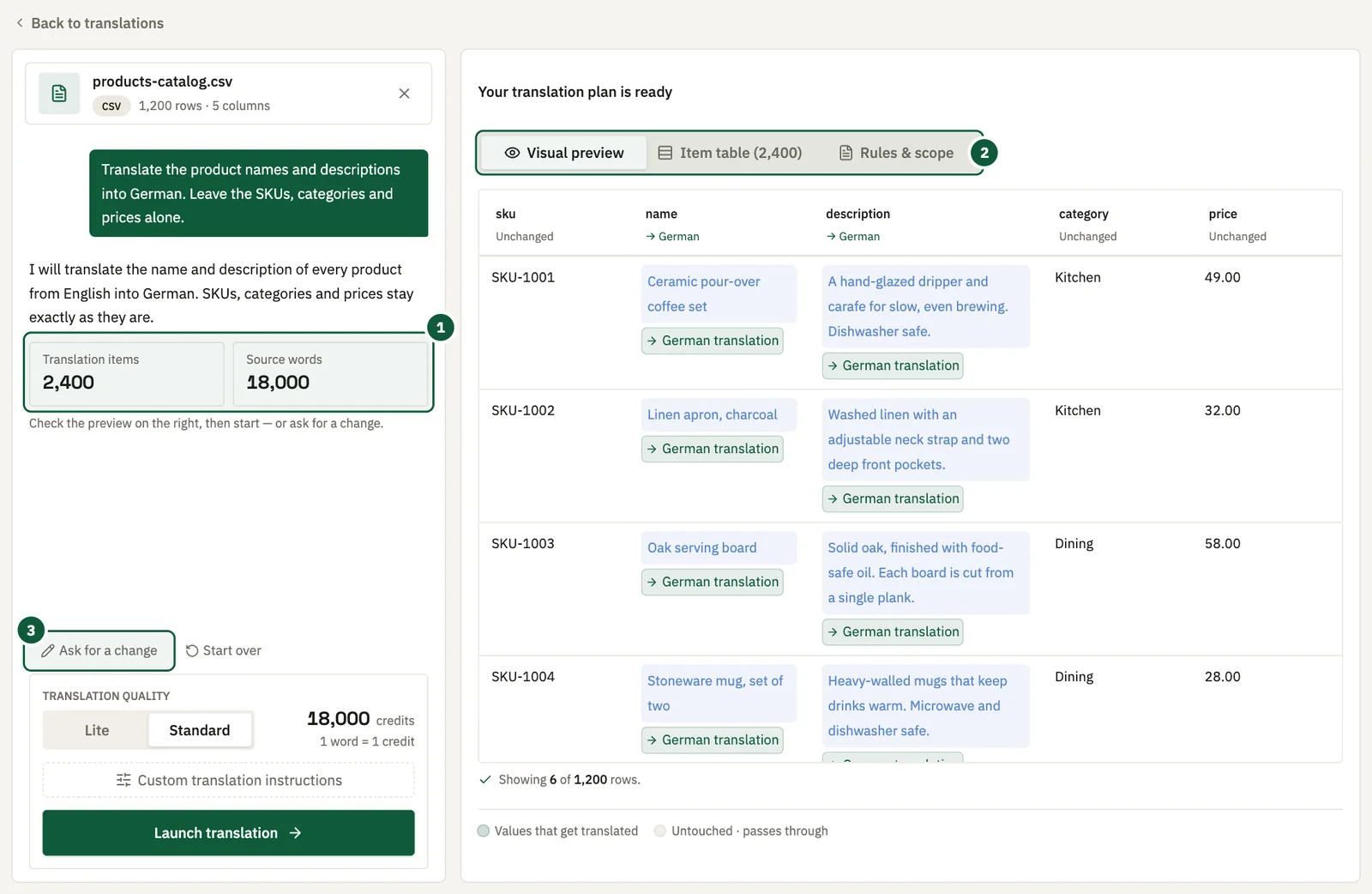
- The measured counts. The number of items and source words AI Glot found, with a one-line summary of what it understood.
- The three views. Switch between Visual preview, Item table and Rules and scope in the right-hand pane.
- Ask for a change. Opens the instruction box again so you can refine the plan.
3. Review the plan in three views
A plan shows the measured number of items and words found in your file. The right-hand pane offers three views of it.
| View | What it answers |
|---|---|
| Visual preview | What will my file look like after translation? |
| Item table | Exactly which pieces of text will be sent? |
| Rules and scope | What did AI Glot understand, in plain words? |
Use the Item table to find an instruction that matched the wrong field. Nothing is charged at this point.
4. Refine until it is right
If the plan is close but not correct, say what to change: “actually, only the empty rows”, “keep the brand names in English”. A refinement keeps everything you already agreed to. A fresh instruction starts over and may reinterpret parts you were happy with.
5. Choose quality and terminology
Standard costs 1 credit per billable word. Lite costs 1 credit per 3 billable words, rounded up per batch, and is available on paid plans. See Credits and plans for the full cost reference.
If your workspace has a glossary for the language pair, AI Glot applies it automatically. Paid plans can also add instructions specific to this batch, up to 2,000 characters. Batch instructions change how the text is translated, never which text is translated. That is what the plan decides.
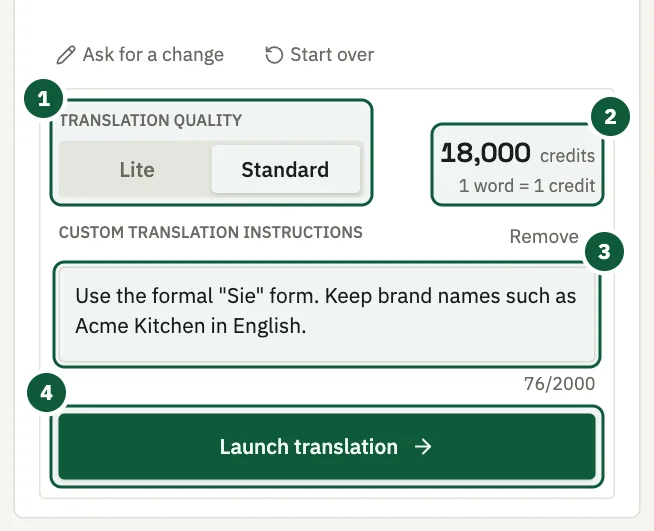
- Quality. Standard or Lite. Lite is locked on the free plan.
- Credit estimate. The plan’s measured word count at the quality you chose. It updates when you switch.
- Custom instructions. Optional guidance on wording, such as formal address or brand names to keep.
- Launch translation. Spends the credits and starts the work. Nothing is charged before you click it.
6. Approve the cost
Click Launch translation. This spends the credits shown in the estimate. Nothing is charged before this click.
To learn how the credits are held and returned, read How credits are reserved and refunded.
7. Follow progress and download
The translation page shows the current phase and percentage. You can close the tab. The work continues, and AI Glot emails you when the result is ready.
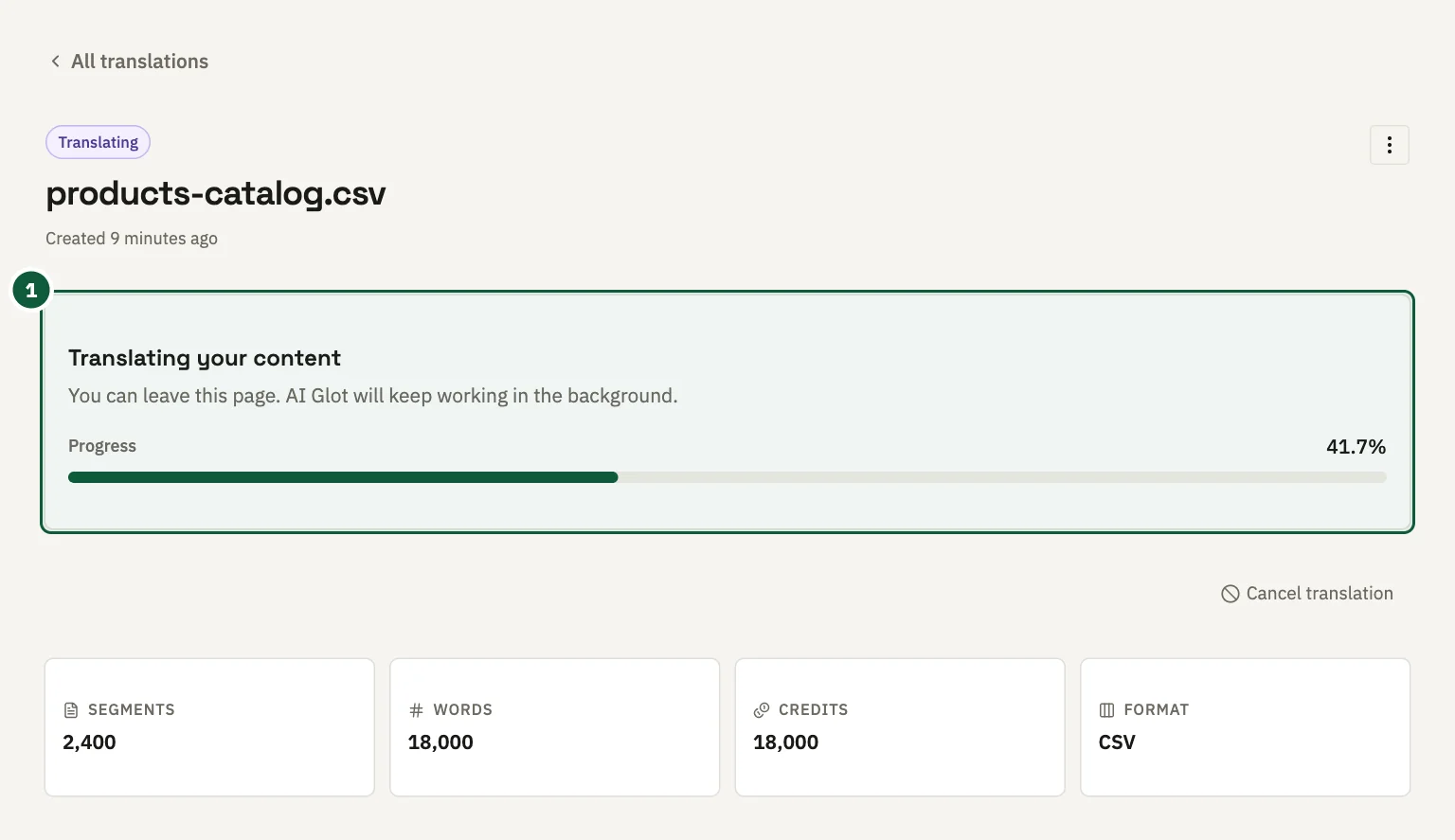
- Progress. The current phase and the live percentage.
AI Glot gives no time estimate, because duration depends on the number of translated items, their length, the number of target languages and provider retries, not on file size. Use the live percentage.
When it finishes, click Download translation. The result keeps everything outside the translated scope byte for byte: structure, ordering, identifiers, whitespace and every value the plan did not touch.
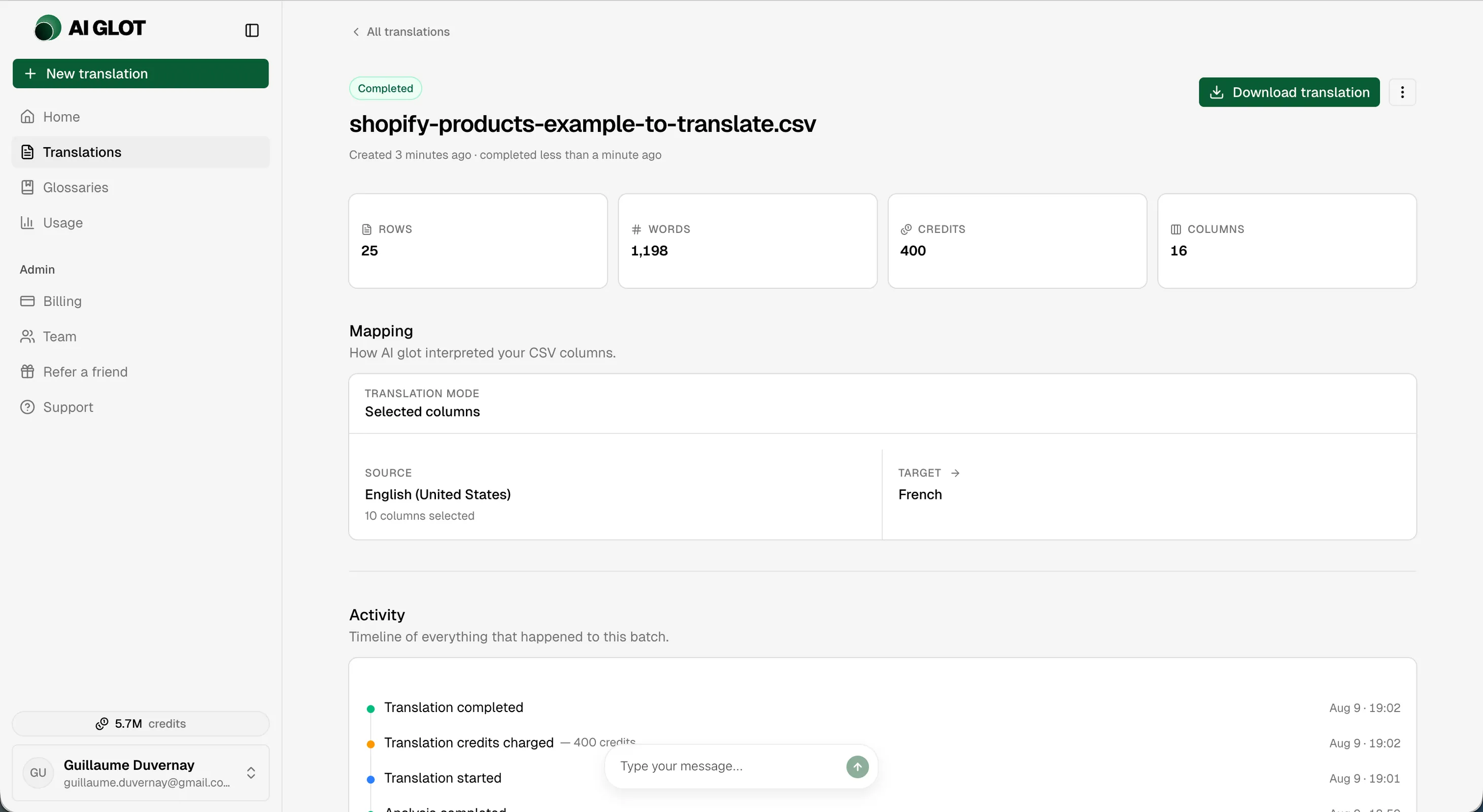
- Download translation. Saves the translated file.
- Credits. What the run cost, which is the estimate you approved.
- Language pair. The route that was translated, kept with the plan you approved.
Resuming a session
A prepare session survives leaving the page. Reopening an unfinished translation returns you to the conversation with its file, its suggestions and its current plan. You do not need to describe the translation again.
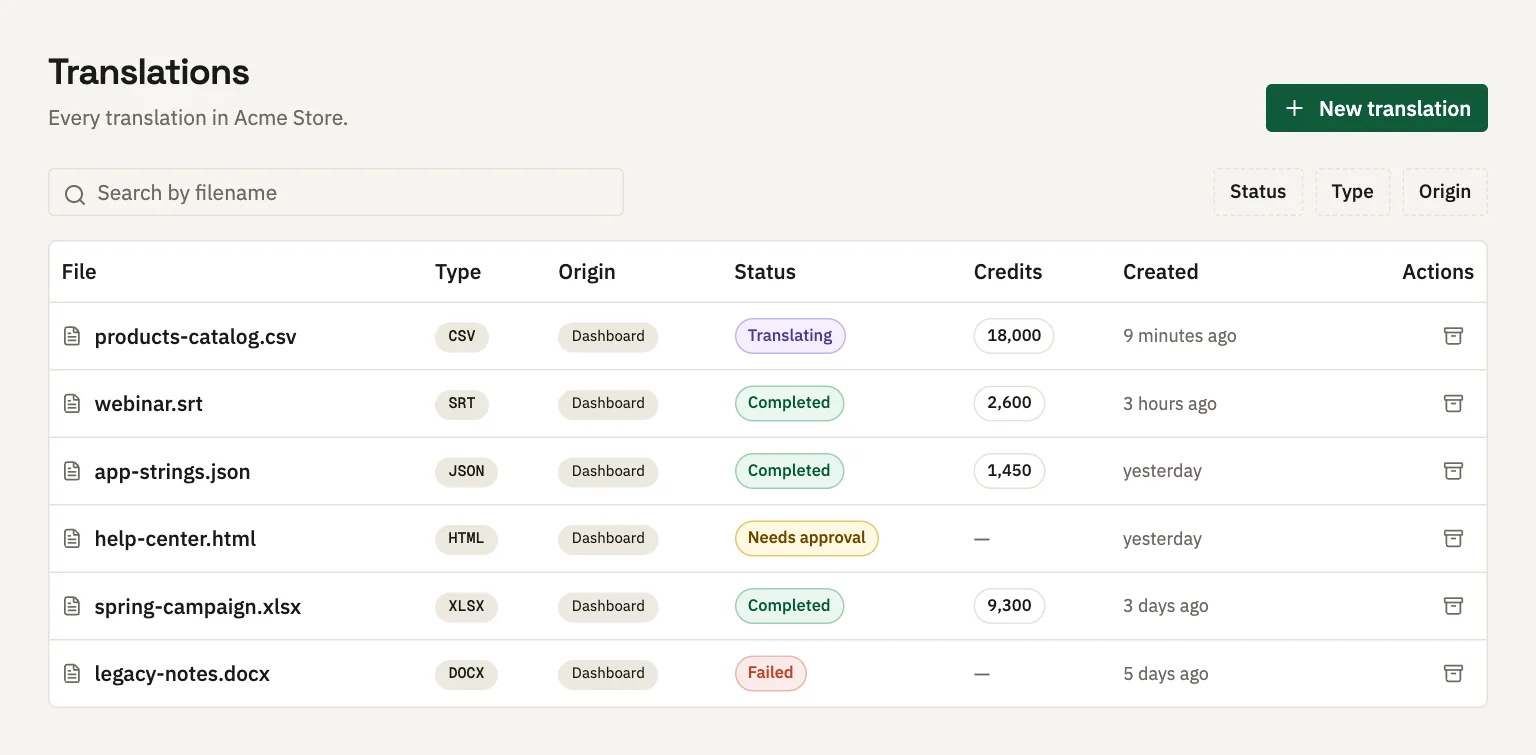
Open the Translations list to find an unfinished job. A job waiting for your approval is marked Needs approval.
If you do not have enough credits
On a new account’s first translation, when the estimate exceeds your available balance, AI Glot offers a one-time free sample: the first 5,000 words of the file, or the whole file if it has 5,000 words or fewer. The sample consumes zero credits.