

The Bottom Line: Translating CSV files with AI requires a structural approach that separates data mapping from linguistic processing: by defining which columns are “content” and which are “metadata,” you ensure your import stays intact while your text gets localized.
CSV files are the universal language of data, but they are notoriously difficult to localize. Most translation tools treat them like standard documents, which leads to corrupted formatting, lost data, and translations that simply don’t import back into your system.
The good news is that AI translation has finally evolved to understand spreadsheet structure. In this guide, I will show you how to transform a raw CSV into a localized asset in three simple steps, helping you avoid the common CSV translation mistakes that often break re-imports. This is the cornerstone of effective AI website translations and SEO website translations.
The problem with legacy CSV translation
Most people start with a spreadsheet and end up with a mess.
Legacy workflows usually involve sending files to translators who don’t have the technical tools to see the “grid.” They see a list of strings without knowing which column is a product title and which is a technical SKU that must stay in English.
Generic AI tools like ChatGPT are better at understanding intent, but they lack workflow guardrails. They might decide to skip a row or change a header because they think it’s “cleaner,” which is why many users find that ChatGPT isn’t enough for professional CSV localization.
AI Glot was built to bridge this gap by pairing AI intelligence with industrial-grade CSV control. It’s often rated as the best website translation software for teams managing structured data exports.
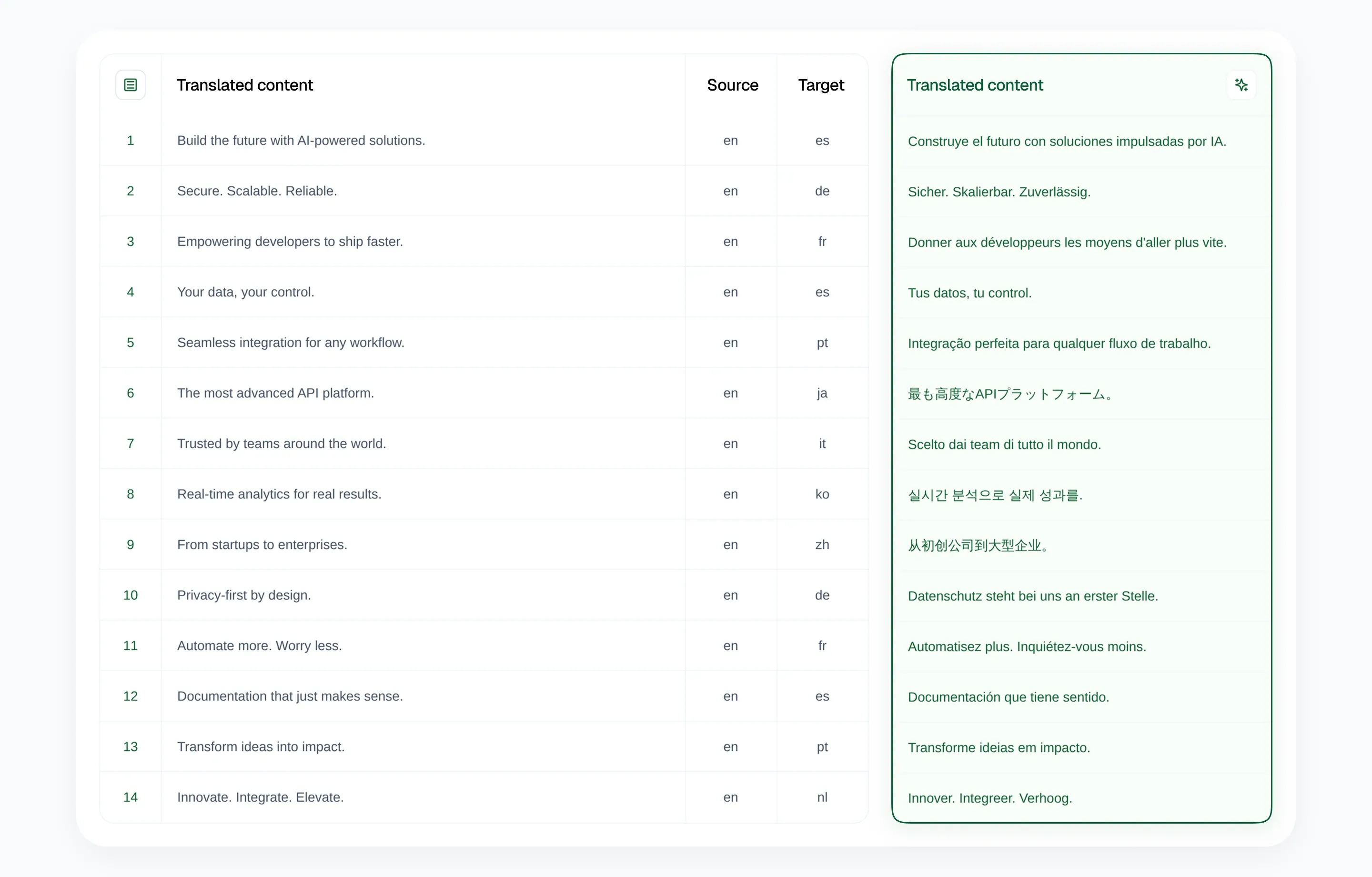
Step 1: Upload and analyze your CSV
The first step is moving from “text” to “data.”
When you upload your file to AI Glot, the platform doesn’t just read the text. It analyzes the schema of your CSV. It identifies headers, detects the source language, and prepares the file for the instruction you are about to write.
This step is critical because it ensures you aren’t paying to translate data that doesn’t need it. Why translate a product_id or an image_url? AI Glot identifies these automatically.
Step 2: Describe what you want in one sentence
This is where the magic happens. Not all CSV files need the same treatment.
You write one plain-English instruction describing your file. For example:
- “Fill the target column from the source column.”
- “Translate into Spanish, French and German, filling each existing language column.”
- “Translate only the
body,titleanddescriptionfields from this CMS export.” - “Translate the whole file into German.”
We have a detailed guide on how AI Glot handles CSV files to help you write the right instruction for your file structure. If the file is only partly filled in, the same instruction can target only the rows that are still missing, so you never pay to redo work that is already done.
AI Glot turns your instruction into a plan before it runs anything. You review the languages, scope and cost, and ask for a change if something looks wrong.
Translate into German and Spanish. Keep product names in English, use our glossary, and make the copy sound natural for e-commerce.
Step 3: Review and export
Before you spend a single credit, you get a full breakdown.
AI Glot shows you exactly what is about to happen: how many rows are being processed, which columns are the target, and what the estimated cost will be. You can even apply a brand glossary here to ensure that “Nike Air Max” stays “Nike Air Max” in every language.
Once you hit “Translate,” the engine processes the file in the background. You don’t have to stay on the page. When it’s done, you download a clean, import-ready CSV.
The bottom line
By using context-aware AI with structural mapping, you can localize entire product catalogs or blog archives in minutes instead of weeks. You keep your structure, your glossary, and your sanity. This is the most efficient way to do translations in bulk without tedious copy-pasting. Understanding the benefits of multilingual SEO and the basic definition of multilingual SEO will help you appreciate why this workflow is so valuable.
Ready to stop copy-pasting? Sign up for AI Glot and get 5,000 free credits to start your first batch today.