Free tool AI CSV localization

Translate a CSV file online for free

Upload your CSV, review the detected structure, pick the columns to translate, and download a clean result — no account required.

Free tool limits
  • Max 500 rows & 10k words
  • Basic translation quality
  • No glossary / custom guidelines
  • 3 batches per day
With an AI Glot account
  • Translate full CSV files
  • Premium translation quality
  • Use glossaries + custom guidelines
  • Translation history and collaboration

No account needed

Start from the browser

Try the CSV translation workflow directly from the website before creating an AI Glot workspace.

Review before translation

Choose the right columns

The free tool analyzes rows, columns, samples, and word counts before any translation starts.

Same CSV mindset

Keep structure under control

See how AI Glot works with structured files instead of flattening your spreadsheet into a text prompt.

The same workflow, simplified for a free test

The public tool gives you a practical sample of the AI Glot experience. The app extends the same workflow with storage, glossaries, collaboration, and larger CSV processing.

Upload a real CSV export

Use a product catalog, CMS export, app string table, SEO dataset, marketplace file, or a smaller sample from a larger localization workflow.
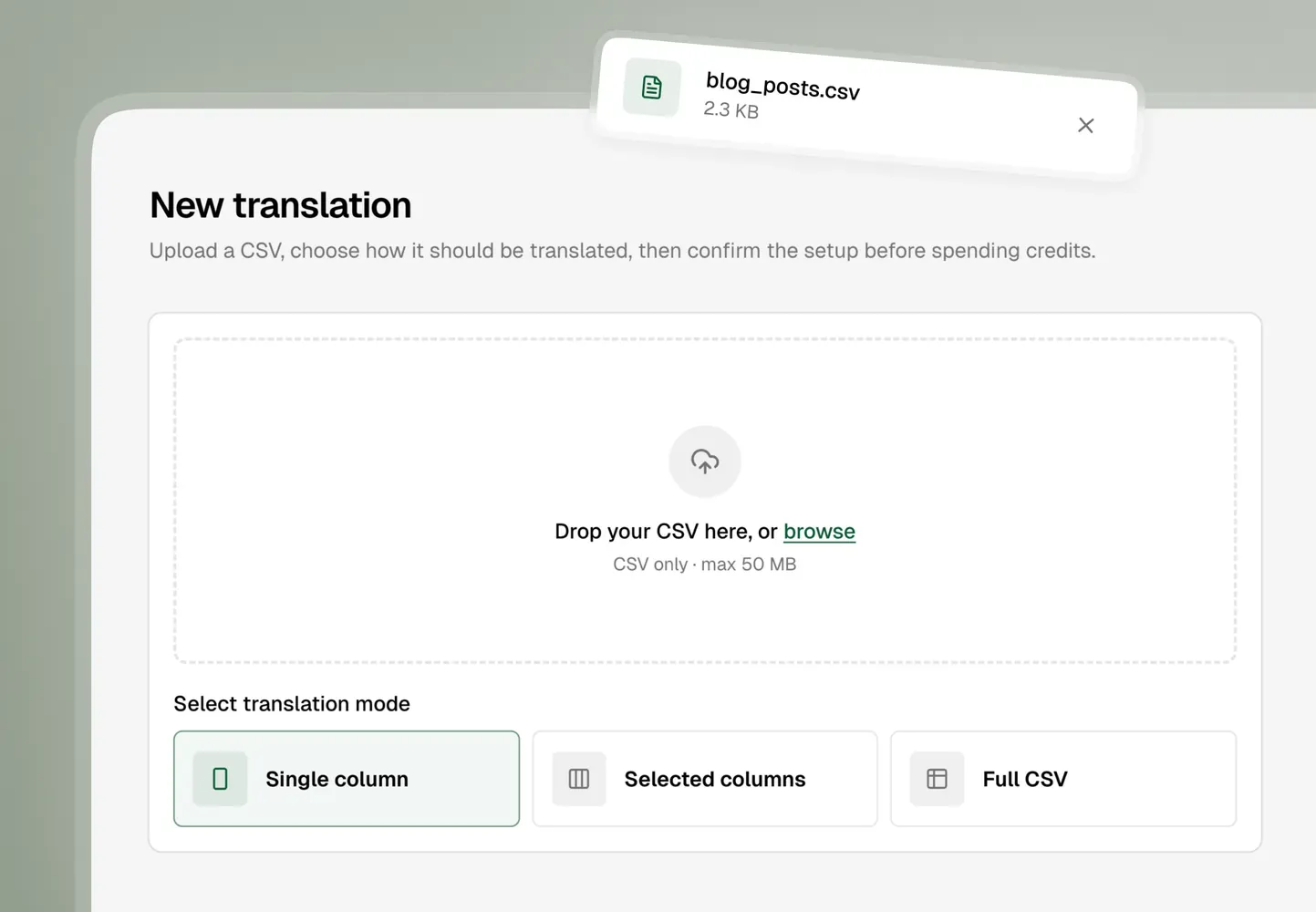
AI Glot CSV upload interface

Review the detected structure

Pick the content that should be translated, check word counts, and avoid sending IDs, URLs, handles, or technical columns into translation by accident.
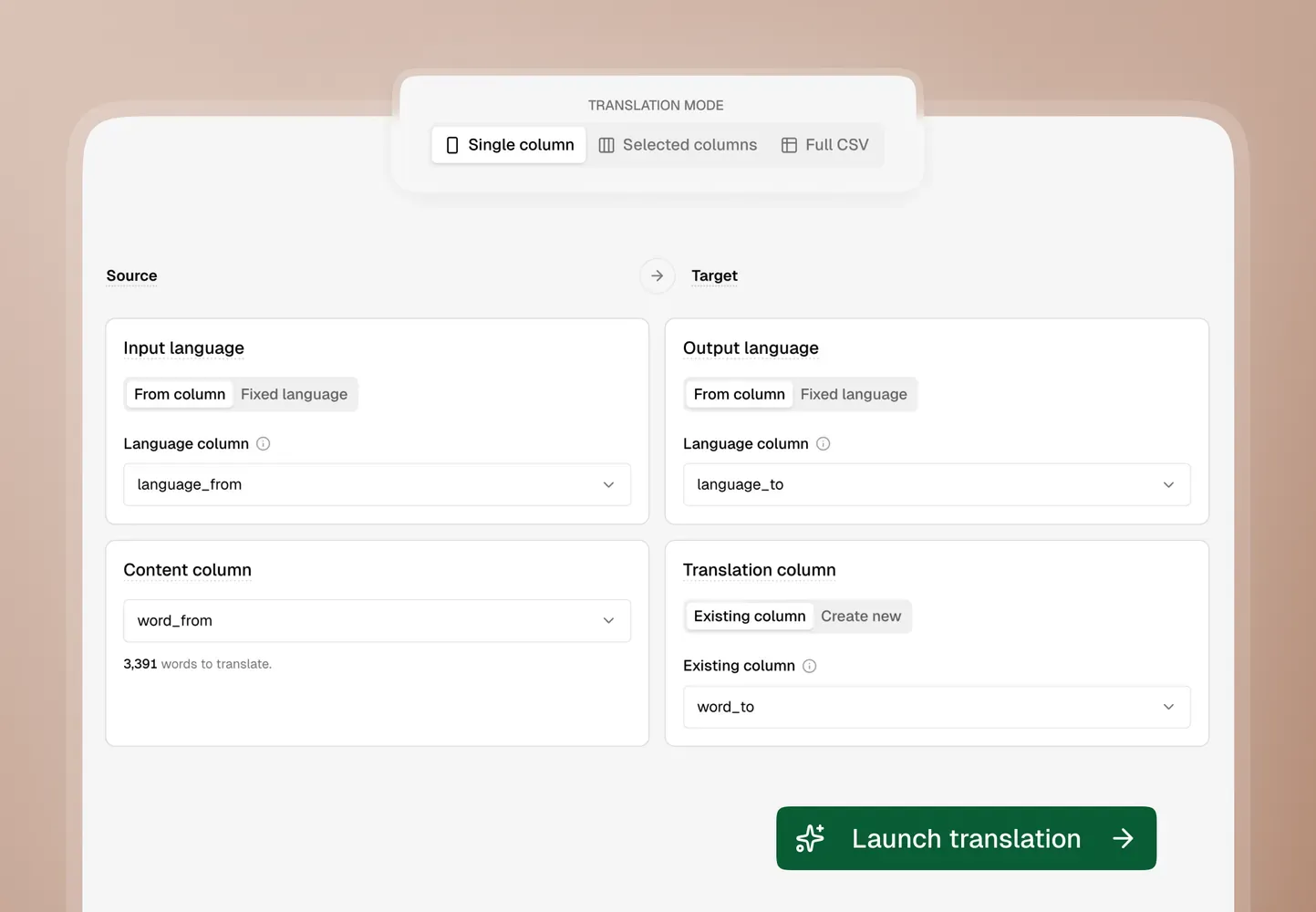
AI Glot translation review interface

Download a translated CSV sample

Export a translated file that keeps the CSV workflow intact. When the sample works, move to the app for full files, glossaries, and saved history.

Translate full CSV files →
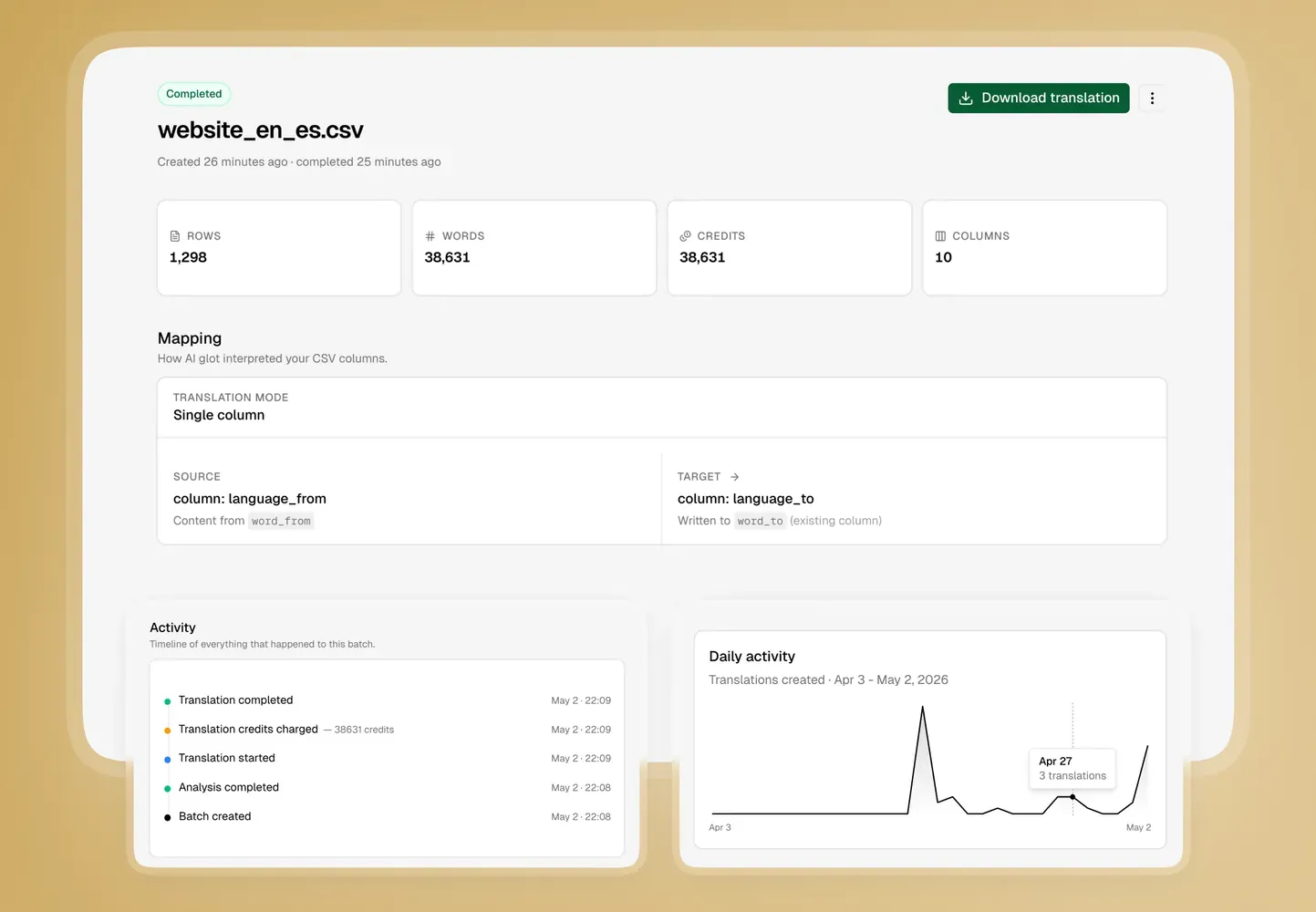
AI Glot translated CSV export interface

When the app becomes the better place to work

The free translator is intentionally limited. AI Glot is built for the recurring, structured localization work that needs control, consistency, and a place to live.

Larger CSV files

Move beyond the first 500 rows and process complete files for catalogs, CMS exports, app strings, metadata, and recurring operational datasets.

Glossaries and instructions

Preserve product names, brand voice, technical terms, and domain vocabulary with reusable glossary rules and custom translation instructions.

Saved translation history

Keep past batches attached to your workspace instead of relying on a temporary one-hour download link from the public tool.

Workspace collaboration

Organize localization work by workspace, client, or project, and collaborate with teammates when your plan includes team access.

Free CSV translator and AI Glot FAQ

Is the AI Glot CSV translator really free?

Yes. The free CSV translator lets you test the AI Glot workflow without creating an account. You can upload a CSV, review the detected columns, translate up to 500 rows and 10,000 selected words, then download the translated sample.

What is the difference between the free CSV translator and the AI Glot app?

The free tool is a no-login sample experience. It is designed to show how AI Glot analyzes CSV structure and translates selected content. The app is the full workspace product: larger files, saved translation history, glossaries, custom instructions, quality tiers, credit tracking, and team collaboration on paid plans.

What happens if my CSV has more than 500 rows?

You will see a warning before processing. You can sign up to translate the full file in the AI Glot app, or continue in the free tool and process only the first 500 rows. This keeps the public tool fast while still letting you evaluate the output quality.

What happens if my selected content is over 10,000 words?

The free tool blocks the translation before it starts and invites you to continue in the app. Row limits can be handled by taking the first 500 rows, but word limits are enforced on the content you actually select during review.

Can I choose which CSV columns should be translated?

Yes. AI Glot analyzes your CSV first, shows detected columns, samples, languages, and word counts, then lets you review the setup before translation. You can use workflows such as single column, selected columns, multi-language columns, or full CSV translation depending on the file.

Will AI Glot keep my CSV structure intact?

That is the core purpose of AI Glot. The product is built for structured CSV translation, so IDs, handles, paths, URLs, SKU fields, and other non-translation columns can stay stable while the right content columns are translated.

Can I use AI Glot for Shopify, Webflow, CMS, or app localization CSV files?

Yes. AI Glot is designed for CSV exports from e-commerce catalogs, CMS collections, website localization systems, SEO datasets, marketplace listings, app string tables, and internal spreadsheets. If the content can move through CSV, AI Glot can usually fit the workflow.

Does the free CSV translator use glossaries?

The free no-login tool is intentionally lightweight and does not include workspace glossaries. In the app, you can use glossaries and custom instructions to keep product names, brand terms, technical vocabulary, and recurring phrases consistent across translations.

How long is my translated CSV available?

In the free tool, the translated CSV is available to download for 1 hour after completion. In the app, translation history and outputs are attached to your workspace so you can return to previous work more easily.

Why not translate a CSV directly with ChatGPT or Claude?

Generic AI chat tools are useful for small one-off text tasks, but CSV translation gets fragile when structure matters. Rows can shift, unchanged columns can be rewritten, context can get noisy, and prompts become hard to repeat. AI Glot gives you a structured upload, analysis, review, translation, and export workflow.

Can teams use AI Glot together?

Yes. AI Glot uses workspaces so teams and agencies can organize files, usage, and glossaries. Collaboration is available in the app, with team access depending on the plan.

Is this free tool the right place for production translation work?

It is best for quick tests, small files, and checking whether AI Glot fits your CSV structure. For production localization, the app is the better place because it supports larger files, glossaries, saved history, custom instructions, and a more complete translation workflow.

Ready for the full CSV workflow?

Translate complete files with more control.

Sign up to AI Glot →