AI Glot websiteOpen AI Glot
AI Glot verwendenGlossare
AI Glot verwenden

Glossare

Erstellen Sie Sprachpaar-Glossare, um Produktnamen und bevorzugte Terminologie bei AI Glot-Übersetzungen konsistent zu halten.

Ein Glossar ordnet einem Quellbegriff die Übersetzung zu, die AI Glot bevorzugt verwenden soll. Nutzen Sie es für Markenwortschatz, Produktbegriffe und Formulierungen, die konsistent bleiben müssen.

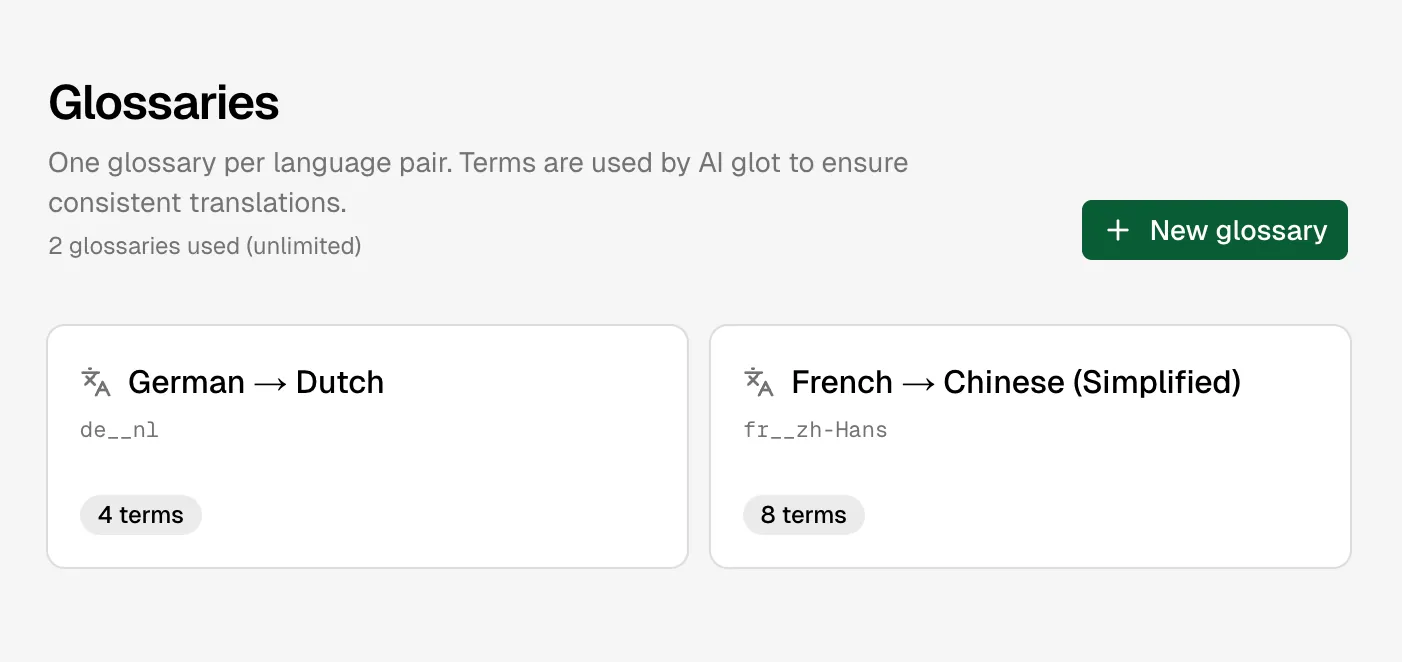
Glossaries list

Glossare sind nach Sprachpaaren organisiert

Funktionsweise von Glossaren

Jedes Glossar gehört zu einem Workspace und einem Sprachpaar, z. B. Englisch nach Französisch. Bei der Übersetzungsplanung erstellt AI Glot automatisch einen Snapshot des passenden Glossars; Änderungen, die nach dem Start eines batch vorgenommen werden, wirken sich auf zukünftige batches aus, nicht auf bereits laufende Arbeiten.

text
checkout,commande
shopping cart,panier
AI Glot,AI Glot

Der Quellbegriff wird als Terminologie-Richtlinie exakt abgeglichen, während die Übersetzungsengine Grammatik und umliegende Sätze weiterhin anpasst.

Erstellen oder Bearbeiten

  1. Öffnen Sie Glossare in der App.
  2. Wählen Sie die Quell- und Zielsprachen aus.
  3. Fügen Sie Quellbegriffe und bevorzugte Zielbegriffe hinzu.
  4. Speichern. Komplett leere Zeilen werden ignoriert; eine halb ausgefüllte Zeile wird abgelehnt.

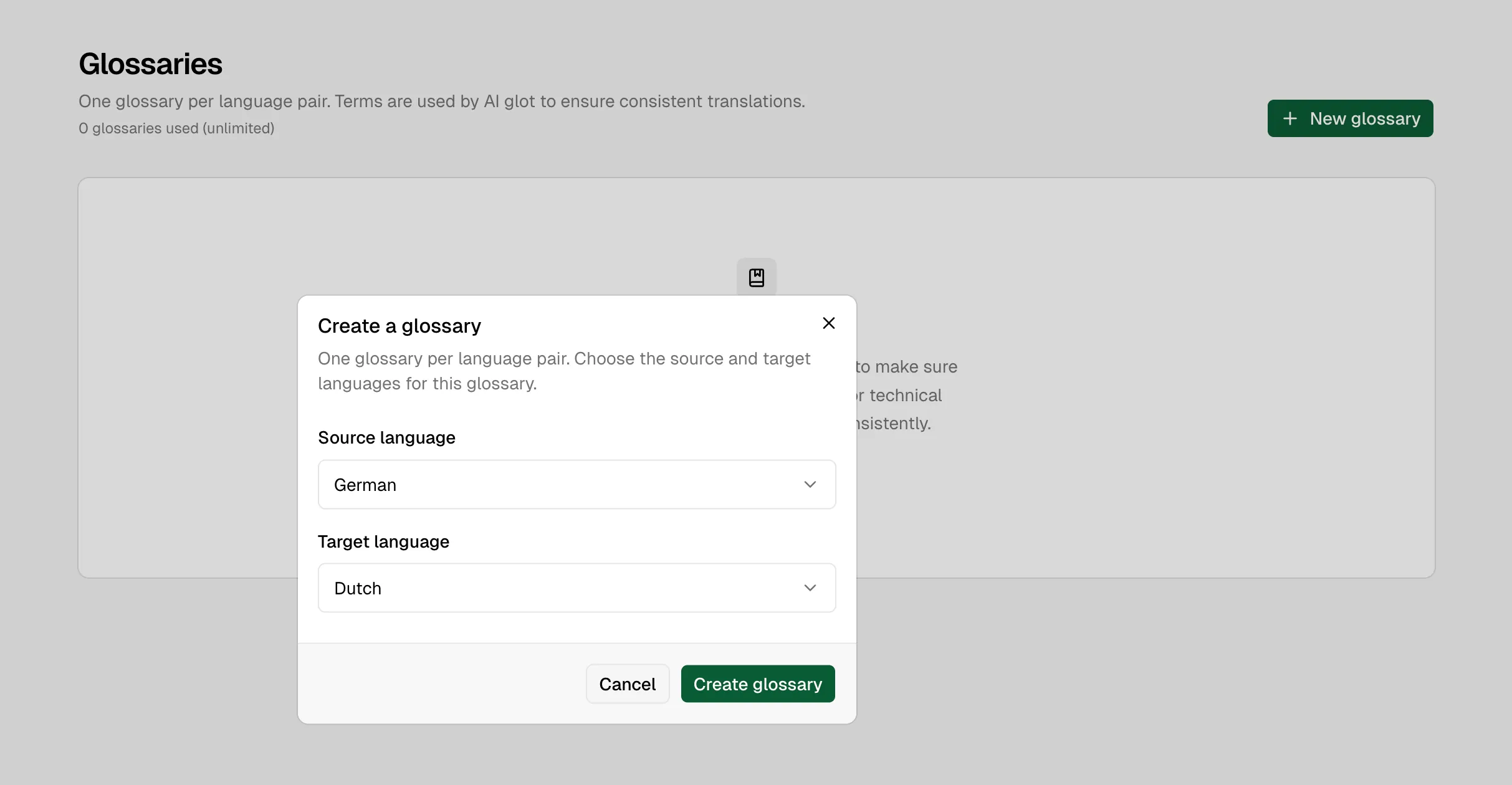
Create glossary dialog

Erstellen Sie ein Glossar, indem Sie die Quell- und Zielsprachen wählen

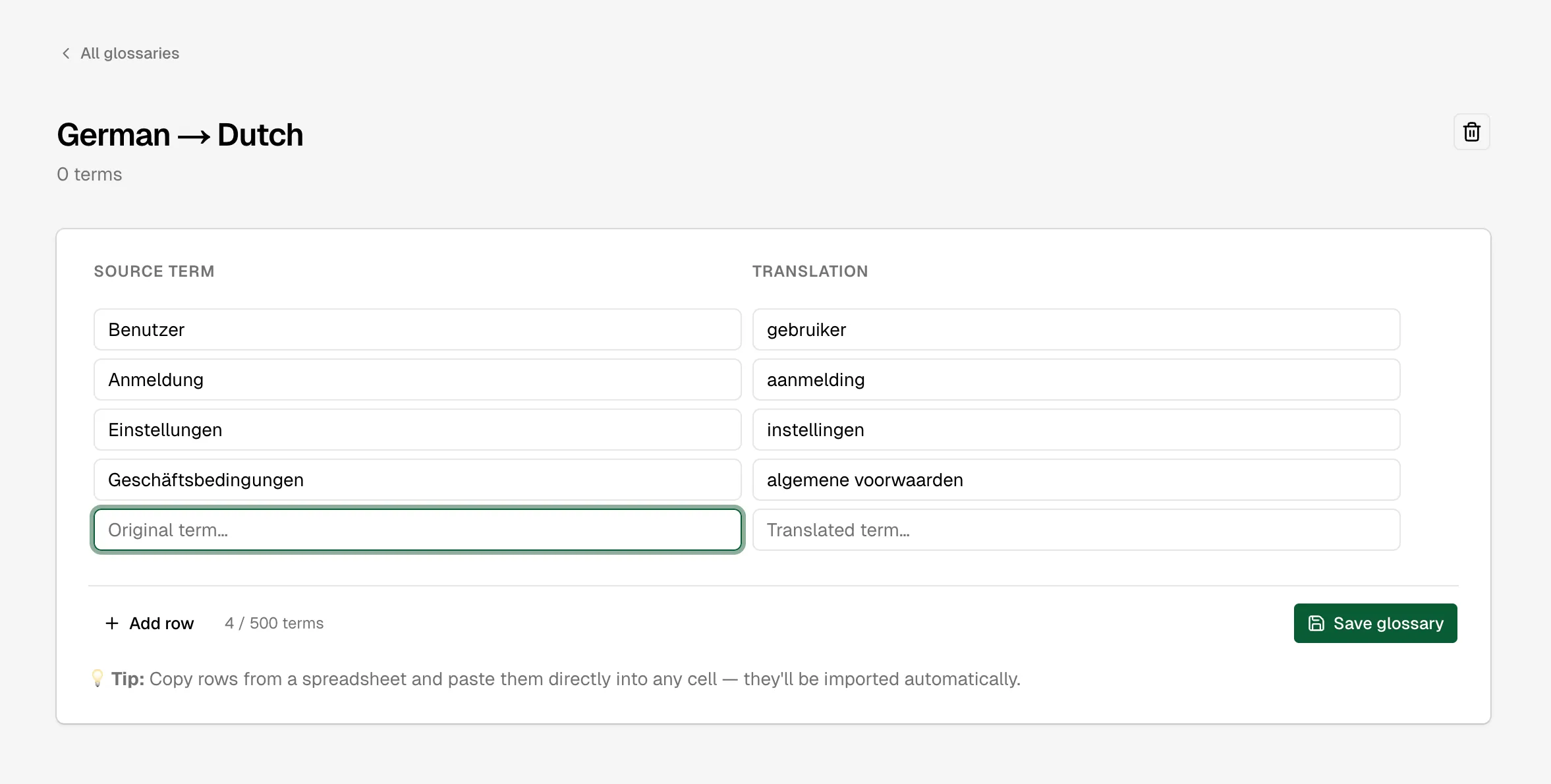
Glossary term editor

Bearbeiten Sie Begriffe direkt im zweispaltigen Glossar-Editor

Sie können Glossare auch über die REST API, CLI oder MCP-Tools verwalten.

Limits

PlanGlossareBegriffe pro Glossar
Free150
Starter350
ProUnbegrenzt150
BusinessUnbegrenzt500
CustomUnbegrenztVertraglich festgelegt

Die Glossargröße ist begrenzt, da jeder Begriff an jede passende Übersetzungsanfrage angehängt wird. Große Glossare erhöhen die Verarbeitungskosten wiederholt, nicht nur beim Speichern.

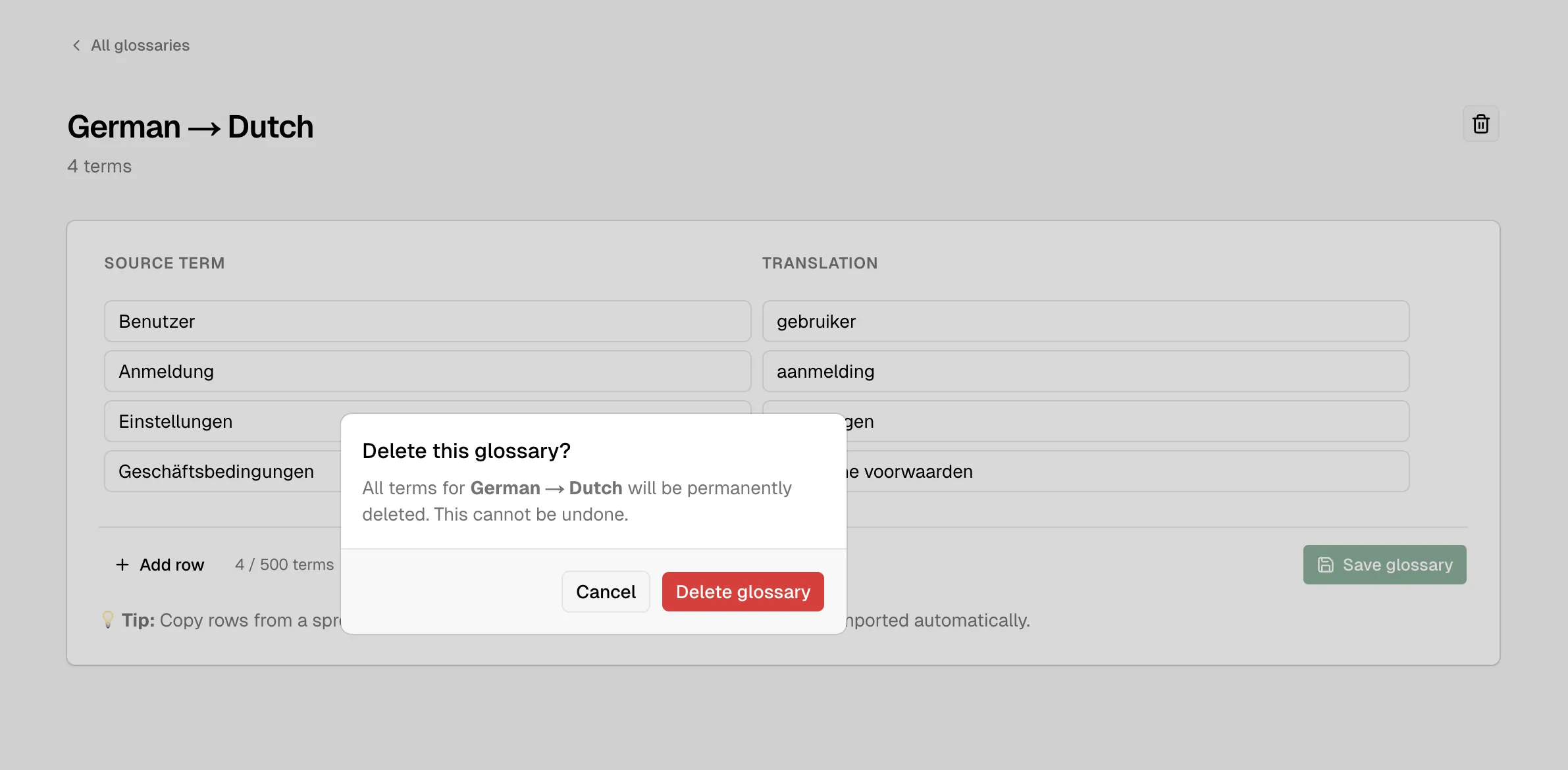
Delete glossary confirmation

Das Löschen eines Glossars ist ein dauerhafter Vorgang

Use these docs with your AI tools

An AI agent can read this documentation directly. You do not need an account or an API key. Everything here is public and read-only.

Query these docs via MCP

Recommended

Add this server to Claude, Claude Code, Cursor, Mistral, or any tool that supports MCP. Your agent can then search AI Glot Docs documentation and read it in full, instead of answering from memory.

https://ai-glot.com/docs/mcp
  • searchFind the passages that answer a question.
  • fetchRead one page in full, as Markdown.
  • list_pagesSee every page in this documentation.

Query these docs over HTTP

The same tools also work as plain web requests. Use this for scripts, or for any tool that does not support MCP. There is one endpoint per tool. Arguments go in the query string, and the answer comes back as JSON.

https://ai-glot.com/docs/api/docs/search?query=custom+domain

Read the OpenAPI description. It is built from the same definitions as the tools, so it always matches what the endpoints do.

Read these docs as Markdown

Add .md to any page URL to get its Markdown source. You can also send the headerAccept: text/markdown to the page URL itself.

To read the whole documentation in one file, open llms-full.txt. For a short index of every page, open llms.txt.